Roo Code Max Tokens: Output Limits, Provider Settings, and Context Errors
Roo Code max tokens governs the maximum number of completion tokens an AI model generates in a single agent turn, directly shaping code diff integrity and context consumption. When cumulative prompt history and reserved output tokens surpass model boundaries, Roo Code triggers input length overflow errors. Configuring provider profiles, balancing reasoning budgets, and offloading reference files via Model Context Protocol preserves context headroom for complex coding sessions.

What Is Roo Code Max Tokens and How Does It Control Agent Turns?
In autonomous coding extensions, the boundary between what an AI model reads and what it generates determines whether a task succeeds or crashes mid-refactor. Roo Code max tokens is the parameter governing the maximum number of completion tokens an LLM can generate in a single agent turn, configured in provider profiles to prevent truncated code diffs and avoid context overflow errors. When developers encounter unexpected context rejections, the issue rarely stems from raw prompt length alone. Instead, it arises from how model providers reserve output capacity against the total context window.
Every Roo Code turn operates as an orchestrated API transaction. The extension gathers your instruction, relevant workspace rules, active Model Context Protocol tool definitions, previous message exchanges, and any file content retrieved during earlier steps. This combined payload represents the input context. When Roo Code dispatches this payload to an API provider such as Anthropic, OpenAI, or OpenRouter, it includes an explicit request parameter declaring the maximum completion tokens the model may generate.
Understanding this interaction requires distinguishing between the total context window and the maximum output token limit:
- Context Window (Total Capacity): The absolute ceiling of tokens a model can process in a single request, encompassing system instructions, conversation history, tool definitions, tool execution outputs, and the generated response combined.
- Max Output Tokens (Completion Allocation): The specific upper boundary allocated for the model's response within that single turn. This covers visible text, code blocks, generated patch files, tool call parameters, and internal reasoning or thinking tokens.
The following comparison table details native context windows and maximum completion token allowances across popular frontier models supported in Roo Code as of October 2026:
When max output tokens are configured too low, the model runs out of generation space before completing a code replacement. Roo Code relies on structured diffs or full file rewrites to apply changes to your workspace. If an edit requires 6,000 tokens of code but the active profile enforces a 4,096 token ceiling, the response truncates abruptly. The extension detects an incomplete response, marks the turn as failed, and requests a continuation, consuming unnecessary tokens and introducing syntax errors into modified files.
Related guides
- ChatGPT Conversation Too Long: Fixes, Limits, and Context WorkaroundsThe conversation too long error in ChatGPT occurs when an ongoing thread exceeds the model working memory context...
- LLM Max Tokens: Understanding Output Generation Limits Across ModelsLLM max tokens defines the hard upper bound on the number of completion tokens a model can generate in a single...
- Gemini 2.5 Output Token Limit: Max Generation & Thinking LimitsThe Gemini 2.5 output token limit defines the maximum number of response tokens generated in a single completion...
- LiteLLM Max Tokens: Configuring Token Limits, Routing, and MCP StorageIn LiteLLM, max_tokens defines the upper limit of completion tokens generated per request or enforces a maximum budget...
- How Context Compaction Works in LLMs: Limits and Best PracticesContext compaction is an automated technique in large language models and agent frameworks that summarizes or prunes...
- Custom GPT Token Limit: Instruction Limits, Context Windows, and RetrievalThe Custom GPT token limit refers to the 8,000-character constraint on configuration instructions and the dynamic...
More on this subject: AI Agents: General Guides (218 guides)
Why Roo Code Throws the Input Length and Max Tokens Exceed Error
The most disruptive obstacle in long agent sessions is the dreaded API validation error: input length and max_tokens exceed context limit (frequently phrased by providers as input length and max tokens exceed context limit). A typical error signature reads 196395 + 64000 > 204698. Developers encountering this message often assume their conversation has somehow generated hundreds of thousands of lines of code. The mathematical reality is an upfront reservation conflict.
Modern LLM inference engines enforce strict context bounds at the moment of request validation. When an API call arrives, the provider evaluates the following constraint:
Input Tokens (Prompt + History + Tools) + Max Output Tokens <= Model Context Limit
The provider does not wait to determine whether the model will actually generate 500 tokens or 60,000 tokens. It immediately reserves the entire max_tokens allocation requested by Roo Code. If your ongoing chat session has accumulated 196,395 tokens of codebase context and your provider profile requests a 64,000 token output ceiling, the provider calculates a required capacity of 260,395 tokens. Because this sum exceeds the model ceiling of 204,698 tokens, the API rejects the request before generating a single character.
Several factors accelerate context window exhaustion during development sessions:
- Reasoning and Thinking Token Budgets: On reasoning models like Claude 3.7 Sonnet in thinking mode or OpenAI o-series models, reasoning tokens are generated as part of the output payload. If a developer allocates a
32,000token thinking budget, that budget is subtracted directly from active context headroom. - Accumulated Tool Execution Logs: When Roo Code executes terminal commands like test runners, linters, or compiler diagnostics, verbose output streams into conversation history. A single failing test suite printing database stack traces can inject
25,000tokens into prompt history. - Monolithic File Ingestion: Reading large source files, configuration files, and package locks into active context consumes immediate space. Loading three
2,000-line files consumes roughly20,000tokens that persist across subsequent turns until pruned. - Sliding Window Pruning Delays: While Roo Code contains context condensation mechanics, automated pruning triggers only after reaching predefined thresholds. If a single prompt injects a massive payload, the session can jump straight past the condensing threshold and violate hard provider boundaries.
How to Configure Max Tokens Across Roo Code Provider Profiles
Roo Code manages model parameters through API Configuration Profiles. Instead of enforcing global limits across all coding tasks, profiles allow developers to define distinct token ceilings, temperature settings, and model providers tailored to specific modes like Code, Architect, and Debug.
To adjust max token parameters within the Roo Code interface:
- Open the Roo Code sidebar panel inside VS Code or Cursor.
- Click the Settings gear icon in the top right corner of the extension interface.
- Select the API Provider or Profiles configuration tab.
- Locate your active profile or click Add Profile to create a specialized profile.
- Expand the Model Configuration section.
- Adjust the Max Output Tokens slider or numerical input field to match your operational requirements.
- For reasoning models, adjust the Thinking Budget or Reasoning Effort parameter.
A balanced configuration strategy tailors output token limits to the operational responsibilities of each mode:
Code Mode Profile
Code generation involves frequent iterative file edits. High output limits here are counterproductive because they consume context space needed for file history while increasing the risk of runaway code generations. Cap Max Output Tokens at 16,384 (or 8,192 for smaller models). This provides ample room for complete functions and multi-file diffs while reserving over 180,000 tokens of context for conversation history and code inspection.
Architect Mode Profile
Architectural planning requires deep structural reasoning, dependency mapping, and comprehensive implementation outlines before code is written. For reasoning models, set Max Output Tokens to 32,768 or 64,000, with a dedicated thinking budget between 16,000 and 32,000 tokens. Because Architect mode produces strategic prose rather than iterative diffs, trading historical context for output depth is advantageous.
Debug Mode Profile
Debugging requires analyzing error traces and methodically isolating regression roots. Configure Max Output Tokens between 16,384 and 32,768, pairing moderate generation caps with targeted reasoning budgets.
The following configuration snippet illustrates how custom profiles define token constraints in Roo Code's settings store:
{
  "apiProfiles": {
    "anthropic-code": {
      "apiProvider": "anthropic",
      "apiModelId": "claude-3-7-sonnet-20250219",
      "modelMaxTokens": 16384,
      "modelMaxThinkingTokens": 8192,
      "modelTemperature": 0.2
    },
    "anthropic-architect": {
      "apiProvider": "anthropic",
      "apiModelId": "claude-3-7-sonnet-20250219",
      "modelMaxTokens": 64000,
      "modelMaxThinkingTokens": 32000,
      "modelTemperature": 0.5
    }
  }
}


Keep Roo Code Context Clean with Persistent MCP Workspaces
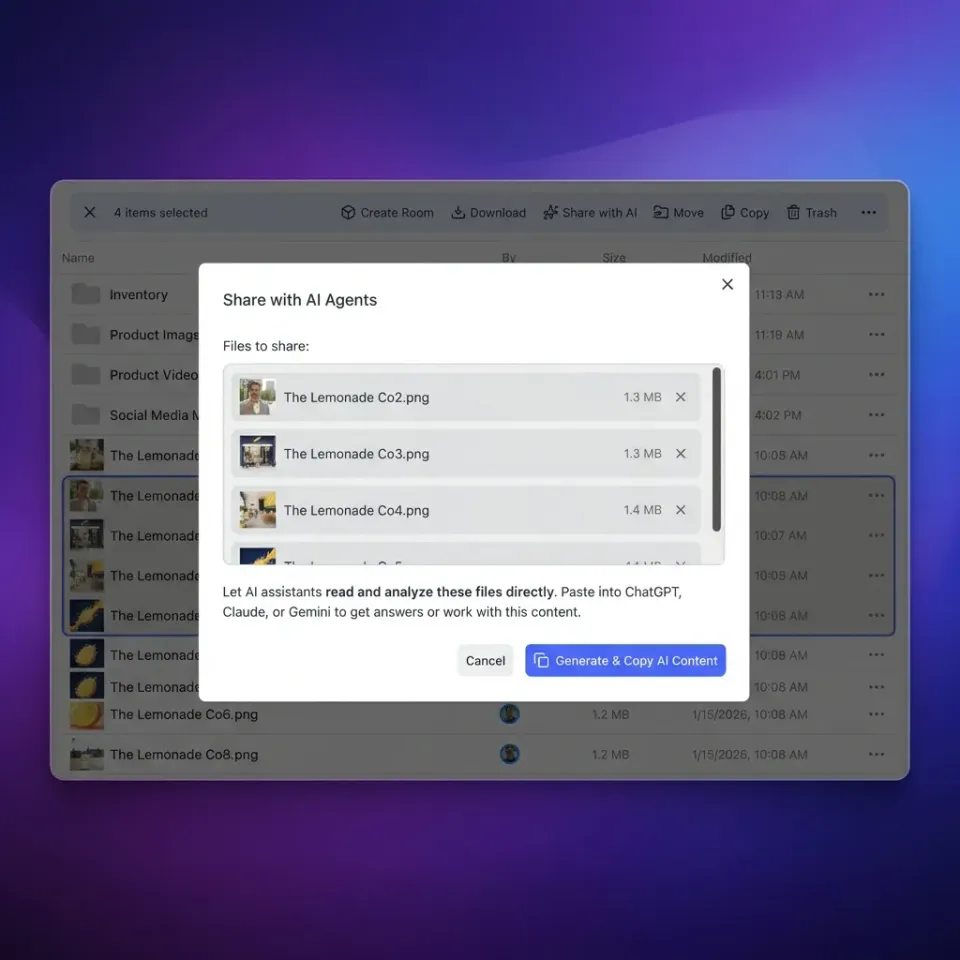
Offload project documentation, asset libraries, and technical specifications to Fastio workspaces with automated hybrid indexing, connecting Roo Code through remote Streamable HTTP MCP endpoints. Monthly plans include a 14-day free trial, which requires a credit card. Plans are Starter at $9.99/mo, Business at $49.99/mo, and Enterprise at $199.99/mo.
Fixing Custom Endpoints: Resolving Max Tokens vs Max Completion Tokens
A frequent technical trap occurs when routing Roo Code through custom OpenAI-compatible endpoints, private API gateways, or local inference servers like LiteLLM, vLLM, Ollama, and Azure OpenAI. When switching to reasoning models like OpenAI o1 or o3-mini on a custom endpoint, API requests suddenly fail with an HTTP 400 error stating that max_tokens is unsupported.
This failure stems from a fundamental parameter shift in frontier API specifications. In traditional chat completion APIs, the parameter governing response length was universally named max_tokens. However, when OpenAI introduced reasoning models, it deprecated max_tokens in favor of max_completion_tokens. Reasoning models generate hidden chain-of-thought tokens that precede the visible answer. Because both reasoning tokens and visible output tokens draw from the same completion budget, the API requires max_completion_tokens to prevent legacy client middleware from miscalculating billing boundaries.
When an agent sends max_tokens to an endpoint hosting a reasoning model, the server rejects the request:
{
  "error": {
    "message": "Unsupported parameter: 'max_tokens' is not supported with this model. Use 'max_completion_tokens' instead.",
    "type": "invalid_request_error",
    "param": "max_tokens",
    "code": "unsupported_parameter"
  }
}
To resolve this parameter mismatch when using custom endpoints in Roo Code:
- Update Roo Code to the Current Release: Recent releases automatically map token parameters based on model family metadata. Verify that the extension is running the latest build.
- Configure Gateway Parameter Remapping: If using an intermediary proxy like LiteLLM or an internal enterprise gateway, enable automatic parameter translation. In LiteLLM, set
drop_params: trueor configure model mappings to convert incomingmax_tokensrequests tomax_completion_tokensfor reasoning architectures. - Select Dedicated Provider Definitions: In Roo Code's settings, avoid using generic OpenAI-compatible profiles for frontier models when dedicated providers exist. Use the native OpenAI or OpenRouter profile options, which send the correct schema payloads natively.
- Set Explicit Context Lengths in Local Servers: When hosting open weights through vLLM or Ollama, ensure server startup flags match Roo Code's expectations. In vLLM, configure
--max-model-lento match the model's true context boundary to prevent negative token calculations.
The following table summarizes parameter naming conventions across common provider integrations:
Step-by-Step Troubleshooting Checklist for Roo Code Context Errors
When Roo Code halts with an input length context error, clearing the blockage requires methodically recovering context headroom. Work through this sequential checklist to restore normal agent operation without losing project progress:
- Roll Back Conversation Checkpoints: Open the Roo Code task history panel and locate the checkpoints list. Identify the point immediately preceding the command that introduced massive output (such as a lengthy test run or full directory dump) and select Restore Checkpoint. This rolls back conversation history while keeping your workspace files intact on disk.
- Reduce Max Output Tokens in Active Profile: Open Roo Code settings, select the API Provider tab, and expand the Model Configuration section. Reduce the Max Output Tokens value. If currently set to
64,000, lower it to16,384or8,192. This immediately frees tens of thousands of tokens from the provider's upfront reservation calculation. - Lower Reasoning and Thinking Budgets: If using Claude 3.7 Sonnet or OpenAI o3-mini, reduce the reasoning budget slider. Lowering thinking tokens from
32,000to8,192recovers significant space in the combined context equation. - Enable Intelligent Context Condensing: Verify that Context Management settings have Intelligent Context Condensing active. This feature prompts the model to summarize earlier conversation turns into compact context blocks when total usage approaches the model boundary.
- Enforce Repository Exclusions with
.rooignore: Create or edit a.rooignorefile in your workspace root. Add build directories (dist/,build/,.next/), package lockfiles (package-lock.json,pnpm-lock.yaml), log outputs (*.log), and data dumps to prevent Roo Code from indexing multi-megabyte text assets into prompt payloads. - Switch to an Extended-Context Model Temporarily: If a complex task requires finishing a long multi-step sequence without losing chat history, temporarily change the active profile's model to Google Gemini 2.0 Flash or an extended-context tier. Execute the final command, let the agent commit the changes, and return to your standard coding profile for the next task.
- Decouple Reference Documentation via Model Context Protocol: Instead of pasting large documentation files, API specifications, and architectural diagrams directly into chat or project instructions, offload them to an external, searchable workspace accessible via MCP.
Offloading Workspace Assets with Model Context Protocol to Prevent Context Bloat
Loading entire documentation directories, architectural specifications, and API schemas directly into prompt context is an architectural dead end. Even large context models suffer from degraded recall and increased latency when forced to process hundreds of thousands of tokens of static documentation alongside active code diffs.
This constraint mirrors file upload limits across popular AI platforms. In official Anthropic documentation, Claude chat conversations accept up to 20 files at up to 500MB each, while project files are capped at 30MB each with no fixed file count limit. As Anthropic notes, project file counts are unlimited, but the total content must fit within Claude's context window. Whether inside Claude Projects or Roo Code sessions, the practical ceiling remains the context window. Reaching that ceiling is when developers with extensive reference libraries look for an external retrieval architecture.
Teams managing substantial codebases and reference corpora evaluate three primary storage strategies:
- Local Workspace Files: Keeping documentation in the local directory and letting Roo Code read files as needed. While simple, every file read injects raw content directly into conversation history, where it remains for subsequent turns and accelerates context exhaustion.
- Self-Hosted Vector Databases: Building local vector storage using tools like Chroma or Qdrant. This provides semantic search but requires developers to maintain chunking pipelines, embedding generation, local services, and index updates.
- Intelligent Cloud Workspaces via MCP: Housing reference documents, shared team assets, and API specifications in persistent workspaces that index content automatically and expose standard retrieval tools over the Model Context Protocol.
Fastio workspaces provide an intelligent coordination layer designed for teams using storage for agents. Instead of attaching large files to chat prompts, developers store reference assets in an organization-owned workspace where they remain persistent and queryable:
- Automated Indexing with Intelligence Mode: Once Intelligence Mode is enabled on a workspace, all uploaded files are automatically indexed for hybrid search, combining full-text keyword indexing, semantic meaning, and metadata retrieval. The agent queries documentation without external vector database setup.
- Direct and Scheduled Ingestion: Workspaces ingest multi-gigabyte collections through chunked uploads supporting files up to
25 GBon Starter,50 GBon Business, and100 GBon Enterprise plans. Alternatively, Cloud Sync connects Google Drive, Dropbox, Box, and OneDrive folders to a workspace, one-way or two-way, on a schedule or on demand. - Structured Document Extraction: For extracting typed records from technical specifications, contracts, and schema documentation, Metadata Views organizes extracted information into sortable, filterable tables accessible through MCP tools.
- Remote Streamable HTTP MCP Connectivity: Coding agents connect over Streamable HTTP. In Roo Code, developers configure the remote endpoint directly in their MCP settings without local bridge processes.
To connect Roo Code to a Fastio workspace, add the following configuration block to your Roo Code MCP settings file (or cline_mcp_settings.json):
{
  "mcpServers": {
    "fastio": {
      "type": "streamable-http",
      "url": "https://mcp.fast.io/mcp/code",
      "headers": {
        "Authorization": "Bearer YOUR_FASTIO_API_KEY"
      }
    }
  }
}
With this configuration active, Roo Code uses a consolidated MCP toolset to search indexed files and retrieve specific paragraphs on demand. For step-by-step setup guides, consult https://mcp.fast.io/docs, and review tool contracts in https://mcp.fast.io/skill.md or agent onboarding at https://fast.io/llms.txt. Instead of consuming 40,000 tokens pasting an API specification into conversation memory, Roo Code queries the workspace, retrieves the exact 300-token endpoint signature required, and leaves the remaining context window clear for deep reasoning and code generation.
Sources
References used to verify factual claims in this guide.
-
Claude chat conversations accept up to 20 files at up to 500MB each, while project files are capped at 30MB each with no fixed file count limit.
Frequently Asked Questions
How do I set max tokens in Roo Code?
To set max tokens in Roo Code, click the Settings gear icon in the Roo Code extension panel, select the API Provider or Profiles tab, locate your active profile, and expand Model Configuration. Adjust the Max Output Tokens slider or enter a numerical token value. For regular Code mode, a ceiling of `8,192` to `16,384` tokens is recommended to prevent excessive context reservation, while Architect and Debug modes can use higher limits like `32,768` to `64,000` tokens.
Why does Roo Code say input length and max tokens exceed context limit?
Roo Code produces this error because API providers evaluate prompt history plus the requested max tokens ceiling against the model total context window before generation begins. If your accumulated chat history contains `196,395` tokens and your profile requests `64,000` max output tokens, the provider calculates a total required allocation of `260,395` tokens. On a model with a `200,000` token boundary, the request is rejected immediately with an HTTP 400 error. Lowering the max tokens setting or restoring an earlier checkpoint resolves the error.
What is the difference between context window and max tokens in Roo Code?
The context window represents the total capacity of tokens a model can handle in a single API interaction, including system instructions, tool definitions, chat history, files read into context, and the output response combined. Max tokens defines only the maximum ceiling of tokens the model is permitted to generate in that single turn. The model output space is subtracted from the total context window to determine how much conversation history can be sent.
Why do reasoning models fail with max_tokens on custom OpenAI-compatible endpoints?
Reasoning models like OpenAI o1 and o3-mini deprecated the legacy `max_tokens` parameter in favor of `max_completion_tokens`. Because reasoning models produce hidden thinking tokens alongside visible output tokens, both draw from the completion budget. If a custom OpenAI-compatible endpoint, local vLLM server, or proxy passes `max_tokens` to an o-series model, the API returns an HTTP 400 unsupported parameter error. Updating Roo Code, enabling parameter translation in proxies like LiteLLM, or using the native OpenAI provider solves the issue.
How does lowering max tokens affect Roo Code ability to edit large files?
Roo Code applies code modifications using structured diffs or full file updates. If max tokens is set too low (for example, below `4,096` tokens), a complex edit spanning hundreds of lines can truncate mid-generation, causing syntax errors and broken files. A balanced setting between `8,192` and `16,384` tokens provides enough output space for substantial code diffs while preserving maximum context headroom for conversation history.
How does connecting Fastio via MCP reduce Roo Code context usage?
When reference documentation, API specifications, and architectural assets are kept locally, reading them injects thousands of raw tokens directly into conversation history, where they remain across all subsequent turns. Fastio indexes these files in persistent workspaces using Intelligence Mode. Roo Code connects via remote Streamable HTTP MCP tools at `https://mcp.fast.io/mcp/code`, querying the workspace and retrieving only relevant snippets. This keeps active prompts lean and prevents context overflow errors.
Related Resources

Keep Roo Code Context Clean with Persistent MCP Workspaces
Offload project documentation, asset libraries, and technical specifications to Fastio workspaces with automated hybrid indexing, connecting Roo Code through remote Streamable HTTP MCP endpoints. Monthly plans include a 14-day free trial, which requires a credit card. Plans are Starter at $9.99/mo, Business at $49.99/mo, and Enterprise at $199.99/mo.