Self-Hosted Cloud Storage: The Complete Guide & Comparison
Self-hosted cloud storage runs on your own hardware or private servers, giving you full control over data but requiring technical maintenance. While it offers privacy and potential long-term savings, the hidden costs of hardware and time often surprise teams. This guide compares top self-hosted options with modern managed alternatives.

What Is Self-Hosted Cloud Storage?
Self-hosted cloud storage is a private file sync and share solution that you install and manage on your own infrastructure. Unlike public cloud services like Dropbox or Google Drive, where your data lives on the provider's servers, self-hosted storage puts the files on hardware you own or control. This approach gives you data sovereignty. You know exactly where your bits live. It appeals to privacy-conscious organizations, tech enthusiasts, and businesses with strict compliance requirements that demand on-premise data handling. However, "free and open source" software often comes with a different price tag: your time. You become the hosting provider, meaning you handle the updates, security patches, backups, and hardware failures.
Helpful references: Fastio Workspaces, Fastio Collaboration, and Fastio AI.
Related guides
- How to Choose Enterprise Cloud Storage for Media TeamsEnterprise cloud storage is secure cloud infrastructure built for large organizations that need centralized control,...
- Best Nextcloud Alternatives for Teams Who Don't Want to Self-HostNextcloud is a powerful self-hosted file sharing platform, but managing your own server takes real work. If you're...
- Cloud Storage Migration Tool Comparison: GUI, CLI, and API OptionsPicking the right cloud storage migration tool depends on your data volume, technical comfort, and budget. This...
- Cloud Storage Comparison: Top 7 Providers Ranked for 2025Choosing the right cloud storage is harder than ever. With the market worth over $100 billion and pricing varying by...
- How to Plan a Cloud Storage Migration: The Complete ChecklistMoving files between cloud providers is straightforward until it isn't. Permission mismatches, broken sharing links,...
- Best Cloud Storage for Video: 7 Options for Production TeamsVideo files demand more from cloud storage than documents or photos. You need large file support, fast transfers, and...
More on this subject: File Sharing (155 guides)
The Hidden Costs of Self-Hosting
While the software for solutions like Nextcloud or ownCloud might be free, the total cost of ownership (TCO) involves more than just a license fee.
Hardware and Infrastructure You need a server. Whether it's a Raspberry Pi for a home lab or a rack of Dell PowerEdge servers for a business, you pay for the hardware upfront. Then comes electricity bills and cooling requirements to keep hardware safe.
Maintenance Time This is the biggest overlooked cost. Setting up a secure, reliable file server takes time. Maintaining it takes even more. Expect to spend several hours monthly on:
- Linux OS updates and security patches
- Firewall configuration and monitoring
- SSL certificate renewals (Let's Encrypt)
- Backup verification and disaster recovery testing
Security Risks When you self-host, you are responsible for security. A misconfigured firewall or a missed patch can expose your entire network. Public cloud providers have teams of security engineers; self-hosters often have just one overworked sysadmin.
Top Self-Hosted Cloud Storage Solutions
If you decide the control is worth the effort, these are the standard-bearers for self-hosted storage.
Nextcloud Hub
The most popular open-source option,
Nextcloud does far more than file storage. It includes calendar, contacts, video calls (Talk), and collaborative document editing.
- Best for: Teams wanting a full Google Workspace replacement they control.
- Pros: Massive plugin ecosystem, completely open source.
- Cons: Heavy resource usage, can be complex to optimize for speed.
ownCloud Infinite Scale
The original player in the space, ownCloud recently rewrote their backend in Go (Infinite Scale) for better performance and scalability.
- Best for: Enterprise file syncing with a focus on speed and stability.
- Pros: Faster and more efficient than PHP-based alternatives.
- Cons: Some features are locked behind enterprise licenses.
Seafile
Focused purely on high-performance file syncing,
Seafile stores files in a chunked structure rather than as plain files on the disk.
- Best for: Speed and reliability with large libraries.
- Pros: Fast syncing, reliable drive client.
- Cons: Files on the server aren't directly accessible; weaker collaboration features.


Share Files From an Organization-Owned Workspace
Fastio gives you organization-owned files and seats included in every plan, without managing servers. Start your secure cloud workspace today.
How to Set Up Personal Cloud Storage Software at Home
If you are looking for cloud storage software you can run yourself, or personal cloud hosting for a home server, this section walks through one documented setup: Nextcloud All-in-One (AIO), which runs Nextcloud in Docker containers. It is one option among the tools listed above. The steps below follow the Nextcloud AIO readme, which also covers Windows, macOS, Unraid, Synology and TrueNAS SCALE.
What you need first
- A host that runs Docker. The readme's main instructions are for Linux.
- A domain that points to the server, or the free deSEC subdomain that AIO can register for you.
- Port 443 (TCP) open or forwarded to the server. Talk, if you enable it, also needs 3478 (TCP and UDP).
- Internet access on the server. The readme states that AIO cannot run offline or in an air-gapped system.
Steps
- Install Docker by following the Docker Engine install guide. The readme says snap-based Docker installations are not supported.
- Start the AIO mastercontainer. This is the command for a host with no existing web server or reverse proxy:
sudo docker run \
  --init \
  --sig-proxy=false \
  --name nextcloud-aio-mastercontainer \
  --restart always \
  --publish 80:80 \
  --publish 8080:8080 \
  --publish 8443:8443 \
  --volume nextcloud_aio_mastercontainer:/mnt/docker-aio-config \
  --volume /var/run/docker.sock:/var/run/docker.sock:ro \
  ghcr.io/nextcloud-releases/all-in-one:latest
- Open the AIO interface on port 8080 using the server's IP address, for example
https://192.168.5.5:8080. Use the IP address, not a domain, because a domain may break later due to HSTS. Port 8080 uses a self-signed certificate, so your browser will ask you to accept it. - Enter your domain. If you do not have one, expand the "Don't have a domain? Get a free one from deSEC" section, enter your email and click "Register free domain via deSEC". The readme says AIO then enables the Caddy and dnsmasq community containers and keeps the DNS record up to date.
- Start the containers from the AIO interface. When they are running, sign in to Nextcloud at your domain.
- Enable daily backups in the AIO interface. AIO backups use BorgBackup, and the backup path can point to a different drive.
Choices to make along the way
For the upkeep that follows setup, see The Hidden Costs of Self-Hosting above. For a hosted alternative with no servers to run, see Self-Hosted vs. Managed Private Cloud below.
Sources: Nextcloud AIO readme, local instance guide, reverse proxy guide.
Self-Hosted vs. Managed Private Cloud
Many teams choose self-hosting because they want control and ownership, not because they want to manage servers. Managed private cloud solutions like Fastio offer a middle ground: you own the organization and the data structure, but the infrastructure is managed for you.
For most businesses, the "Control" of self-hosting is the goal, but the "Maintenance" is the burden. Managed solutions provide the ownership structure (files belong to the company, not users) without the need to patch Linux servers on Saturday nights.
When Should You Self-Host?
Self-hosting is the right choice in specific scenarios:
1. You are completely air-gapped. If your environment cannot touch the internet due to top-secret classification or critical infrastructure security, self-hosting is your only option.
2. You have a dedicated DevOps team. If you already have engineers managing Kubernetes clusters and server infrastructure, adding a storage instance is marginal overhead.
3. You have substantial existing hardware investments. If you already own the storage arrays and just need a software interface, self-hosting makes use of that sunk cost. For everyone else (agencies, production teams, and businesses), a managed solution typically offers better ROI and security.
The Modern Alternative: Organization-First Cloud
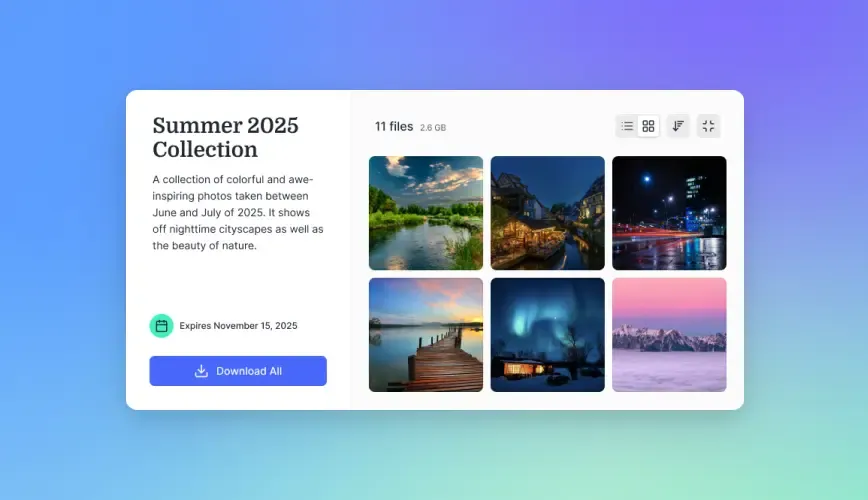
Fastio takes a different approach. It's built on an "Organization-First" model. Unlike Dropbox, where files often live in personal user accounts, Fastio treats the Organization as the owner.
- No Server Management: It's a cloud-native service, so there's no hardware to buy or patch.
- Flat Plan Pricing: Plans are flat monthly prices with 3, 10 or 30 seats and storage included, which can save teams compared to paying for every seat.
- Privacy & Security: You get granular permissions, audit logs, and secure external sharing without exposing your internal network. You get the key benefit of self-hosting (data sovereignty and cost control) without the technical debt.
Frequently Asked Questions
Is self-hosted cloud storage more secure?
It depends on your expertise. Self-hosting gives you theoretical control, but if you fail to patch a vulnerability or misconfigure a firewall, it is far less secure than a managed provider. Public cloud providers have dedicated security teams; self-hosters rely on their own skills.
What is the best self-hosted cloud storage?
Nextcloud is widely considered the best all-around option due to its extensive feature set and community support. ownCloud Infinite Scale is excellent for performance-focused file syncing. Seafile is a strong contender for raw speed and reliability.
How much does self-hosted storage cost?
The software is often free, but hardware ranges from basic setups to enterprise-grade servers. The hidden cost is labor: maintaining a secure server takes several hours per month, costing thousands annually in employee time.
Can I access self-hosted storage from outside my network?
Yes, but it requires configuring port forwarding, dynamic DNS, or a reverse proxy. This exposes your server to the internet, increasing the security risk. You must ensure your authentication and encryption (SSL) are correctly configured to prevent unauthorized access.
Related Resources

Share Files From an Organization-Owned Workspace
Fastio gives you organization-owned files and seats included in every plan, without managing servers. Start your secure cloud workspace today.