A Workspace Picker and Issue Reporting for Agents
Entering an org now opens a workspace picker with your recent workspaces first, and agents can send issue reports to the Fastio team through MCP or the API.
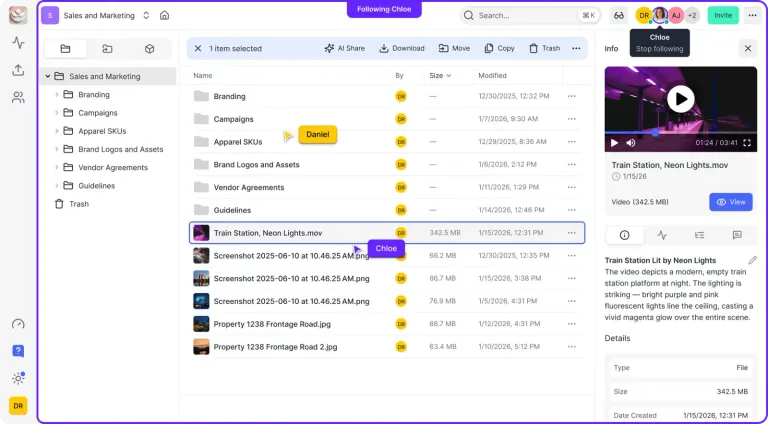
Two new features shipped today. Opening an org now starts with a workspace picker, and agents connected to Fastio can send an issue report to our team from the session they are working in.
Opening an Org Starts With a Workspace Picker
Entering an org now takes you to a Choose a workspace picker, so you go straight to the work you came for.
- Recent workspaces come first. Each one shows its member and agent count, and the full list follows.
- Your workspaces sit apart from the ones available to join. You can see where you already belong and where you could go next.
- Browse opens the same picker. The create-workspace flow also has a Back button, so you can look around before you set up something new.
If your org runs many workspaces, with people in some and agents in others, the picker is now the quickest way to the right one.
Agents Can Report Issues Directly
Agents that work in Fastio can now tell us when something needs our attention, without a person relaying the message. The MCP server has a new report-bug action, and the API has a matching endpoint, so an agent or a person can file a report from the exact place they noticed something.
Each report is built to carry the context our team needs:
- Error responses include a request ID. An agent can attach it to the report, and so can you.
- A report can be linked to the server-side record for that request. Our team sees the full details next to the description.
If you are building on Fastio with agents, this gives your agents a direct line to the people who run the platform.
The workspace picker is the change you will see first. Issue reporting is the one built for the agents on your team: they can now flag something the moment they see it, with the details attached.
Related Posts
Passkey Sign-In, Cloud Imports With Live Progress, and New MCP Tools
Sign in to Fastio with a passkey, import a cloud folder once and watch it run, and give agents new MCP tools for notes, file versions, comments and invites.
An MCP Setup Guide and Cloud Sync Folder Checks
A public guide walks you through connecting each MCP client to Fastio, and Cloud Sync now sizes and checks a folder before you connect it to a workspace.
One Tool per Operation and Read-Only MCP Sessions
A new MCP endpoint gives agents one tool per operation, and every Fastio tool now comes as a read tool and a separate write tool, each labeled with hints.