How to Use AI Agent Storage for Construction Scheduling
Scheduling agents for construction need file storage that lasts between sessions. Teams rely on them for Gantt charts, resource plans, and project timelines. These files grow throughout a project as teams add versions, change orders, and coordination documents. Fastio provides generous storage, a consolidated MCP toolset, and RAG once Intelligence is enabled to query schedules.


What Is AI Agent Construction Scheduling Storage?
Construction scheduling agents need file storage that sticks around. They build and update timelines, Gantt charts, and resource plans. Jobs involve big Excel files, PDFs, and BIM data. Agents work with these to spot delays and reduce costs.
These agents do more than use short-term memory. They check bids from subs, factor in weather, and adjust critical paths. Without storage that lasts, changes disappear when sessions end. Fastio workspaces let agents upload schedules, index them for search, and share with general contractors and subcontractors.
Delays cost thousands a day in construction. Storage lets agents shift tasks around site problems or material shortages. It keeps a record of changes over weeks.
For example, an agent grabs RFIs from Procore, refreshes the main schedule, and alerts the trades. Humans check previews on their phones.
Helpful references: Fastio Workspaces, Fastio Collaboration, and Fastio AI.

Related guides
- How to Set Up Multi-Agent Construction Bid WorkspacesMulti-agent construction bid workspaces enable AI agents to collaborate on construction bids using shared intelligent...
- How to Share Revit Files with Construction TeamsRevit files for construction projects regularly exceed 500 MB, making email and basic cloud drives impractical for...
- How to Share As-Built Drawings for Construction Closeout**As-built drawings file sharing** helps with construction closeout. These drawings show final built conditions,...
- How to Choose the Best Construction CAD File Sharing SolutionsGuide to construction cad file sharing: Construction teams share .dwg and .dxf files with general contractors, subs,...
- How to Share Construction Daily Logs EfficientlyConstruction daily logs sharing keeps subs, owners, and inspectors up to date on site progress. Traditional PDF emails...
- How to Share Construction Progress Photos with Your TeamProgress photos keep everyone aligned on what happened on site. This guide walks through a practical workflow for...
More on this subject: Construction (16 guides)
Why Construction Agents Need Persistent Storage
Schedules shift daily with weather, subcontractors, and inspections. Agents keep up, but need reliable storage for context.
AI-powered scheduling tools help project managers reduce delays and optimize resource allocation. Storage allows reasoning across days, unlike chat systems that drop old updates when sessions end.
Construction schedules typically contain Gantt charts, resource allocations, dependency mappings, and attachments like RFIs and submittals. These files grow throughout a project as teams add versions, change orders, and coordination documents. Agents review past versions for patterns that inform future adjustments.
Advisory file locks coordinate edits when multiple agents work on the same schedule. One agent acquires a lock to signal active updates while another waits, and Fastio preserves every version with instant restore.
Field teams need access to the latest plans on mobile devices. Without persistent storage, superintendents might pull outdated schedules, causing rework and miscommunication. Fastio secures original files and streams previews instantly to phones and tablets.
Construction projects generate massive amounts of documentation. A single mid-sized commercial project can produce thousands of files over its timeline. Managing this volume requires intelligent indexing and search, not just raw storage capacity.
Key Fastio Features for Scheduling Agents
Fastio works for teams with agents. Agents get human-level tools.
Consolidated MCP Toolset: File upload, search, and workspace management over Streamable HTTP. Works with Claude, GPT, or any LLM.
Intelligence Mode: Switch on RAG indexing. Ask "latest HVAC delays?" for answers with sources.
Advisory File Locks & Versioning: Safe for multiple agents. One updates while others hold, and version history preserves every revision.
Realtime Feeds: Activity polling and WebSocket events alert on schedule updates.
URL Import: Grab from Autodesk or MS Project, no downloads.
Ownership Transfer: Agent sets up workspace, transfers to GC.
Start the 14-day Business Trial with usage credits (credit card required).



Store Construction Schedules with AI Agents
14-day Business Trial with usage credits and a consolidated MCP toolset. Keeps scheduling workflows running. Built for agent construction scheduling storage workflows.
Step-by-Step Setup for Scheduling Agents
Set up your agent to store construction schedules in minutes.
Agent Signup: Create an account at Fastio. Start the 14-day Business Trial (card required; see /pricing/) and generate an API key.
Workspace Creation: Create it with the MCP
org_managetool, named "Project Alpha Schedule".Upload Schedules: Upload Excel or PDF Gantts. Stage each file with
POST /blob, then call the MCPupload_managetool withaction=stream-upload.Enable Intelligence: Turn on Intelligence for the workspace. Indexing happens automatically.
Agent Integration: Connect to the remote MCP server at
https://mcp.fast.io/mcp/toolswith your API key as a Bearer header.
Example Python:
# Point your MCP client at https://mcp.fast.io/mcp/tools
# and send the header Authorization: Bearer <your API key>.
# The agent then lists files with the storage tool and asks questions with the ai_manage tool.
Test Query: Tell the agent "Shift plumbing to next week?" It updates and saves.
Share: Create links for subs. Make them view-only.
Troubleshooting: Check credits balance for operations that consume credits like AI chat and document indexing. Retry failed requests on transient errors. Monitor the activity feed or WebSocket events for notification issues.
OpenClaw Quickstart
# Connect via remote MCP at https://mcp.fast.io/mcp/tools
Agent handles files: "Upload new Gantt to schedule workspace."
Integrates with Construction Tools
Agents connect to Procore, Autodesk BIM 360, Primavera P6, and Microsoft Project through API integrations and file imports.
URL Import handles OAuth connections to cloud storage where these tools store project data. When schedules update in Procore, the agent pulls the latest version without manual downloads. The realtime activity feed logs when new bids arrive or submittals get approved, triggering agent reanalysis of the schedule impact.
Coordinate updates using version history to prevent race conditions. Search across workspaces using natural language queries like "critical path risks this week" to surface delays before they happen.
Multi-agent setups work well for complex projects. One agent might focus on timeline analysis while another handles cost loading and resource forecasting. They coordinate through shared workspace storage, version history, and permissions.
Humans use the UI to chat with agent-generated summaries. A superintendent asks "Any delays this week?" and gets an AI response with citations to specific schedule files.
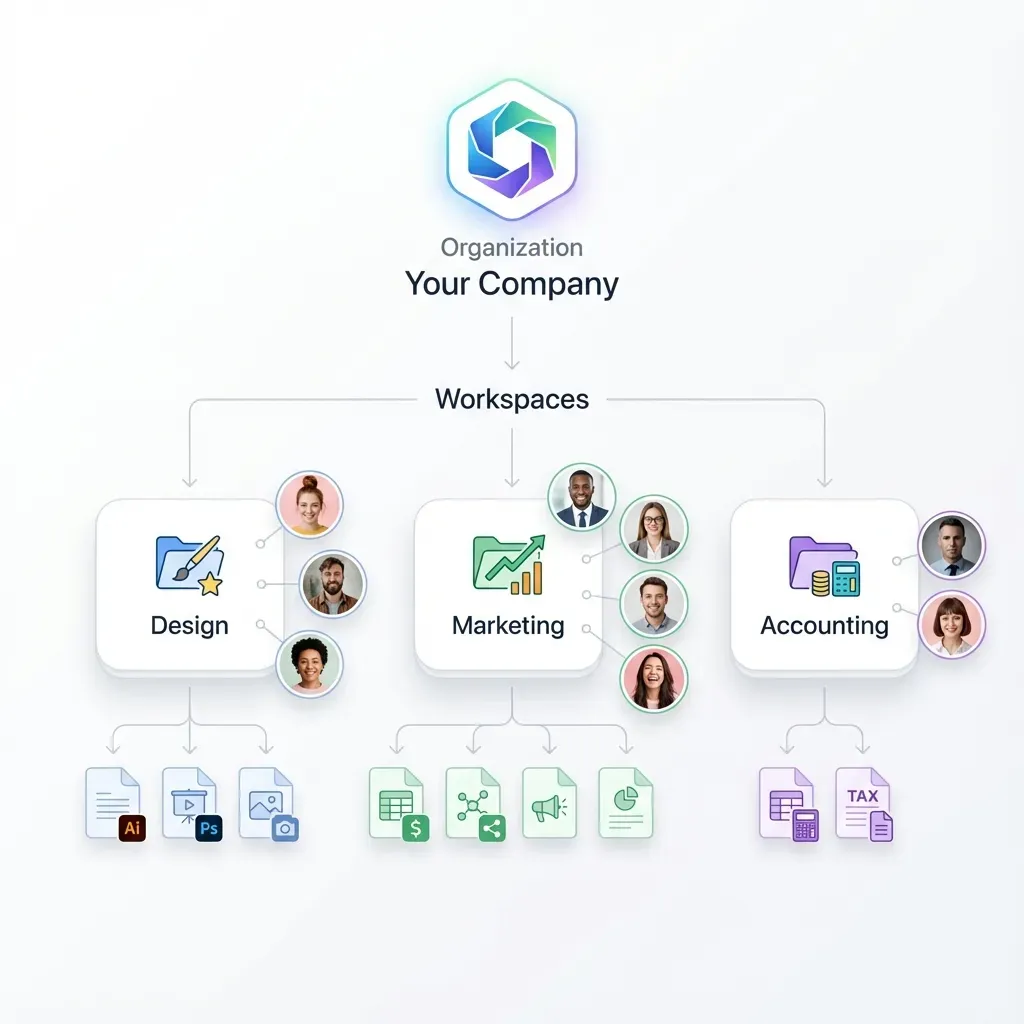
Human-Agent Collaboration and Handoffs
General contractors review agent schedules in shared workspaces with real-time presence showing agent activity.
The ownership transfer feature solves a common construction workflow problem. The agent creates the initial workspace structure, sets up folder hierarchies for drawings, specs, and submittals, then transfers administrative ownership to the general contractor. The agent retains admin access to continue updates while the human owns the business relationship.
Subcontractors receive branded portals for their specific scope areas. They see only their relevant files and schedules, reducing confusion while maintaining security. Phone previews work on mobile for field access to drawings and specifications without laptop requirements.
Audit logs record every schedule change with timestamps and attribution. This creates a record for disputes, change order negotiations, or QA reviews. When a delay claim arises, the project team can trace exactly when and how the schedule was modified.
The workflow scales across multiple concurrent projects. Each project gets its own workspace with agent automation handling the repetitive coordination tasks while humans focus on decisions that require judgment and relationships.
Best Practices for Construction Agent Storage
Structured organization prevents chaos as projects grow. Create separate folders for drawings, schedules, RFIs, submittals, and correspondence within each project workspace. Use consistent naming conventions like "SCHE-001-ProjectName-v3.xlsx" so agents and humans find files predictably.
Enable Intelligence Mode early in the project lifecycle. The indexing works better with more context. A schedule analyzed in week one provides baseline patterns that help agents spot anomalies in week twelve.
Monitor activity feeds for critical schedule changes. When a subcontractor uploads a revised timeline, the agent detects the update from the realtime activity feed, analyzes float impacts, and alerts the project manager.
Plan for handoff from the start. Define who owns the workspace when the agent finishes its initial setup. The ownership transfer feature requires an active human account to receive permissions.
Monitor storage usage on long projects. Construction documentation accumulates. A generous storage tier handles most projects, but large developments with extensive BIM models may need paid plans.
Test agent queries before relying on them for critical decisions. Ask the same question multiple ways to verify the AI retrieves the right information. Adjust file organization if queries consistently miss relevant documents.
Back up critical schedules locally as well. Cloud storage provides redundancy, but having a local archive protects against connectivity issues on remote job sites.
Common Problems and Solutions
Problem: Agent loses context between sessions. Solution: Fastio persistent storage maintains workspace state. Enable Intelligence Mode so the agent indexes previous schedule versions and can reference them in later conversations.
Problem: Multiple agents overwrite each other changes. Solution: Acquire an advisory file lock before updating a schedule (via MCP storage actions lock-acquire or REST). If another agent already holds the lock, the caller receives HTTP 409 and can wait. Even if unlocked concurrent writes occur, Fastio saves every edit as a new version.
Problem: Schedule updates do not reach field teams. Solution: Share links with relevant team members. Use Fastio share links that work on mobile without requiring account creation for viewers.
Problem: Agent cannot find information in large workspaces. Solution: Structure workspaces with clear folder hierarchies. Enable Intelligence Mode for semantic search across all files. Use specific file names that agents can parse reliably.
Problem: Cost overruns from storage fees. Solution: Select an appropriate plan (Starter, Business, or Enterprise). Usage-based credits handle construction scheduling workloads with predictable costs. Monitor credit usage in the dashboard (see /pricing/).
Problem: Procore integration fails on schedule updates. Solution: Verify OAuth tokens are valid and have required permissions. Use URL Import with proper authentication flow. Set up retry policies for failed operations.
Problem: Large schedule files timeout during upload. Solution: Use chunked uploads for files over 100MB. Fastio supports uploads up to 100 GB per file on the Enterprise plan (25 GB on Starter, 50 GB on Business). Break Excel workbooks into sections if they contain macros that slow processing.
Sources
References used to verify factual claims in this guide.
-
AI-powered scheduling tools help project managers reduce delays and optimize resource allocation
-
Fastio offers a 14-day Business Trial with usage credits and workspace collaboration features
-
Fastio provides a consolidated MCP toolset for file operations
Frequently Asked Questions
What storage do AI scheduling agents need?
Reliable workspaces with RAG indexing once Intelligence is enabled, version history, and a consolidated MCP toolset. The 14-day Business Trial covers testing.
Best AI tools for construction schedules?
Agents on Fastio MCP with storage, paired with LLMs like Claude. Manages Gantt, delays, resources.
How does Fastio support multi-agent scheduling?
Advisory file locks, granular permissions, version history, realtime activity feeds, and workspace Intelligence once enabled. Agents coordinate updates cleanly.
What storage plans are available for agents?
Fastio offers Starter (250 GB), Business (5 TB), and Enterprise (25 TB) plans with usage credits. A 14-day Business Trial requires a credit card; see /pricing/.
Integrates with Procore?
Cloud imports and the WebSocket events feed. Agents import schedules and monitor updates.
Related Resources

Store Construction Schedules with AI Agents
14-day Business Trial with usage credits and a consolidated MCP toolset. Keeps scheduling workflows running. Built for agent construction scheduling storage workflows.