How to Set Up AI Agent VFX Collaboration Workspaces
Guide to agent vfx collaboration: AI agents team up with VFX artists in Fastio workspaces. VFX projects create many file versions, from Houdini simulations to Nuke composites. Agents and humans share large EXR files, Alembic caches, and HDRI maps with previews and semantic search. This guide covers setup, tool connections, and best practices for VFX teams.


What Is AI Agent VFX Collaboration?
AI agent VFX collaboration brings AI agents into shared workspaces with human artists for visual effects work. Agents run simulations, composites, or renders. Humans review and approve.
Take Houdini: one agent runs simulations, saves Alembic caches. Next agent comps EXR sequences in Nuke. Another summarizes updates for the director. All files track versions in one spot.
Fastio handles this with agent-focused design. Agents use a consolidated MCP toolset for files. Humans use browser previews and comments.
Agents join the team directly. Handoffs happen fast.
Helpful references: Fastio Workspaces, Fastio Collaboration, and Fastio AI.

Key Components
Workspaces hold all your assets: geometry, textures, renders. Enable Intelligence Mode to index files for search. File version history helps teams review changes when multiple agents work on the same cache. Ownership transfer lets teams hand projects to human collaborators.
Related guides
- How to Build AI Agent Real-Time Collaboration WorkspacesMulti-agent systems often struggle when two agents try to edit the same file simultaneously. AI agent real-time...
- How to Set Up Unreal Engine Agent CollaborationUnreal Engine agent collaboration works best when agents share one persistent workspace, follow lock-based edit rules,...
- How to Enable AI Agent Collaboration for Product DesignAI agent product design collaboration is transforming how creative teams build, iterate, and ship. By integrating...
- How to Enable Multi Agent Real Time CollaborationMulti agent real time collaboration is the capability for autonomous AI agents to simultaneously access, edit, and...
- Best APIs for AI Agent Communication: Top 9 Solutions for 2026Building effective multi-agent systems requires structured message passing and reliable state synchronization. This...
- How to Master AI Agent Swarm Orchestration: Best Practices for 2026AI agent swarm orchestration manages large-scale, emergent agent behaviors in dynamic environments. While single agents...
More on this subject: Multi-Agent Systems (62 guides)
Challenges in VFX Pipelines Without Agents
VFX means heavy file work. A character asset runs through dozens of versions in modeling, rigging, simulation, lighting, and comp.
Teams email ZIPs or hit shared drives. Versions vanish. Handoffs between groups last hours. Hundreds of GB in EXR sequences bog down networks.
Studios track assets more than they create. AI automation sounds good, but few tools let agents and people share spaces.
Projects delay. Artists burn out.
Common Pain Points
- Coordinating multi-tool workflows (Houdini to Nuke)
- Tracking asset versions across 50+ iterations
- Secure sharing with external vendors
- Real-time feedback on massive files
How Fastio Workspaces Enable Multi-Agent VFX Pipelines
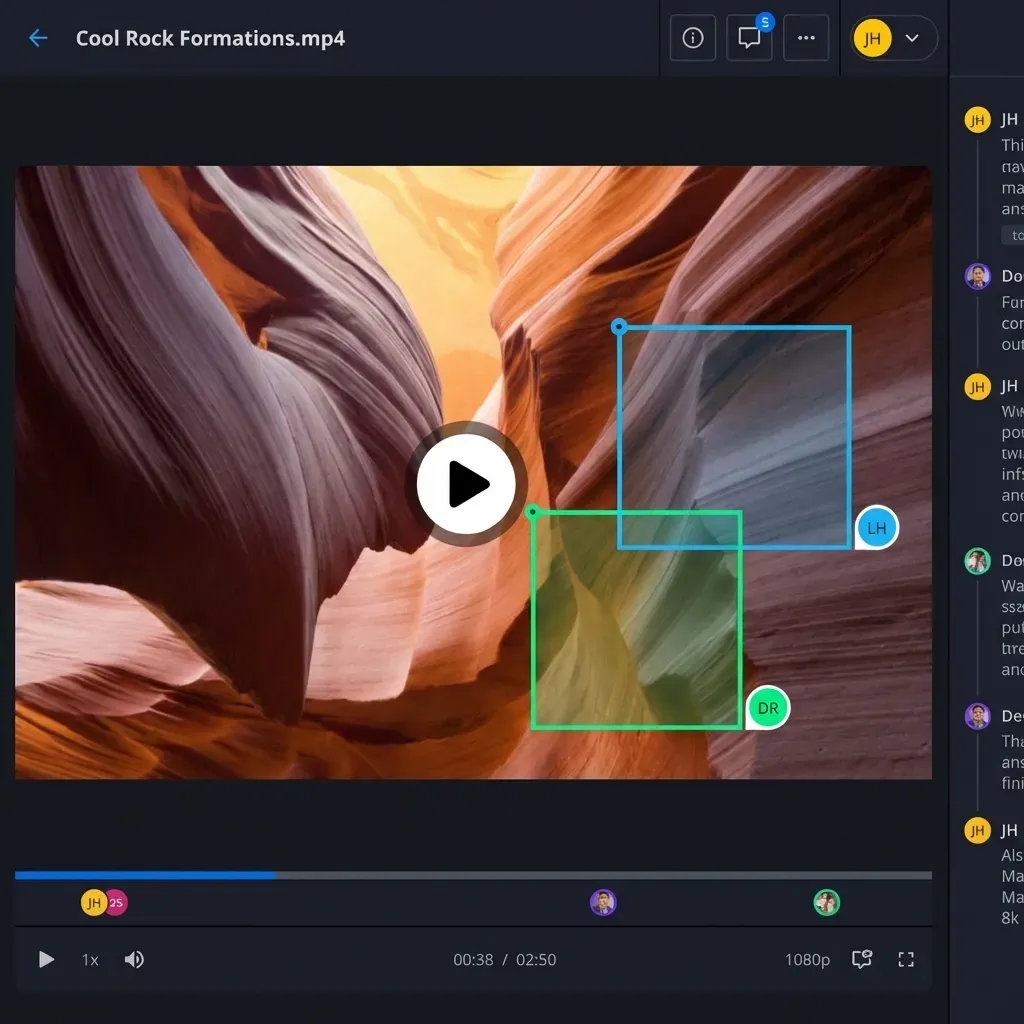
Fastio gives persistent storage where agents and humans work side by side. Upload an EXR sequence. Previews work frame by frame right away. Enable Intelligence Mode to index files for RAG queries, such as "simulations with the highest particle counts." Agents use MCP, humans chat. Media engine streams EXR, DPX, Alembic, USD. The 14-day Business Trial requires a credit card.


Start AI Agent VFX Collaboration Today
Shared storage and a consolidated MCP toolset for Houdini/Nuke assets.
Step-by-Step Setup for VFX Agent Collaboration
Build a multi-agent VFX pipeline with these steps.
Step 1: Create an Organization Start the 14-day Business Trial, which requires a credit card.
Step 2: Set Up Workspace Make a new workspace like "Project Dragon Sim." Enable Intelligence Mode. It indexes uploads for search.
Step 3: Connect Agents via MCP Configure your MCP client with the remote endpoint at https://mcp.fast.io/mcp/tools, sending a scoped key as a Bearer header. Agents can then inspect, upload, and organize assets directly.
Step 4: Upload and Organize Assets Chunk large files. Folders: /simulations, /composites, /renders.
Step 5: Coordinate Concurrent Work Use per-file version history to review changes on shared caches.
Step 6: Monitor Activity Use activity polling or the WebSocket events feed to coordinate pipeline stages.
Step 7: Invite Human Team Share link. Humans preview and comment on frames.
Example Agent Workflow
# Simulation Agent (Houdini)
1. Read the current version of /assets/dragon.abc
2. Run sim, output /sims/dragon_v2.abc
3. Save a new version
4. Activity polling or the events feed signals the comp agent
Integrating VFX Software with Agent Workspaces
Connect Houdini renders and Nuke scripts to workspaces.
Agents read/write .hip.nk files with MCP tools. Previews show node graphs and renders.
Pipelines? URL Import from Google Drive, Box. Skip local storage.
Multi-LLM: Claude plans, GPT renders, local models offline.
Define clear tool contracts and fallback behavior so agents fail safely when dependencies are unavailable. This improves reliability in production workflows.

Human-AI Handoff and Production Best Practices
Agents set up full project trees. Ownership transfer: agent builds org and workspaces, passes to studio lead. Agent stays admin.
Best practices:
- Review activity logs.
- Pin comments to frames.
- Semantic search: "comps with glow effect."
- Branded shares for vendors.
Scales to studio size: the Enterprise plan includes 30 seats, with extra seats at $1/mo each up to 200.
Capture these lessons in a shared runbook so new contributors can follow the same process. Consistency reduces regression risk and makes troubleshooting faster.
Frequently Asked Questions
How do AI agents collaborate on VFX projects?
Agents connect to Fastio workspaces through the MCP server and can read and write assets. Humans preview and comment. Advisory file locks, version history, activity polling, and the events feed help teams coordinate without colliding on renders.
What are the best workspaces for VFX agent teams?
Fastio's intelligent workspaces with Intelligence Mode, MCP, and media streaming. The 14-day Business Trial requires a credit card.
Can agents handle Houdini or Nuke files?
Yes, MCP supports .hip.nk, EXR upload/download. Browser previews nodes and sequences, no installs.
How to prevent file conflicts in multi-agent VFX?
Use per-file version history to review concurrent changes and restore an earlier version when needed.
What plans or trials are available for VFX agent workspaces?
Monthly plans start with a Business Trial of up to 14 days, which requires a credit card; see [/pricing/](/pricing/) for current plans.
How does RAG work for VFX assets?
Intelligence Mode indexes on upload. Ask "find overexposed frames" and get results from sequences with citations.
Related Resources

Start AI Agent VFX Collaboration Today
Shared storage and a consolidated MCP toolset for Houdini/Nuke assets.