How to Integrate Claude Code with SharePoint
Claude Code SharePoint integration connects Anthropic's terminal-based coding agent to Microsoft SharePoint document libraries to search and inspect project documentation during development. While direct API traversals can trigger Graph throttling and exhaust agent context windows with full file downloads, synchronizing libraries into an indexed workspace enables targeted passage retrieval. Developers can query architecture specifications from the terminal without stalling execution.


The Context Bottleneck: Why Coding Agents Need Enterprise Documentation
When an autonomous coding agent downloads an eighty-page architecture manual to verify a single API parameter, the terminal session stalls before the agent writes a line of code. Anthropic designed Claude Code to operate directly in project repositories, executing shell commands, analyzing local files, and editing source code inside terminal sessions. However, enterprise technical documentation lives inside Microsoft SharePoint document libraries: system architecture diagrams, database schemas, security compliance policies, and API contracts. Bridging that divide requires a reliable connection between terminal workflows and enterprise storage.
Claude Code SharePoint integration connects Anthropic's terminal-based coding agent to Microsoft SharePoint document libraries to search and inspect project documentation during development. When an engineer tasks Claude Code with refactoring a service, the agent needs to verify external contracts against enterprise policies stored in SharePoint. When writing database migrations, the agent must inspect column standards and table relationships against the data dictionary.
Engineering teams face a fundamental operational mismatch between human document repositories and terminal coding agents. SharePoint document libraries store comprehensive corporate files designed for human browsing, such as multi-megabyte Word documents, complex spreadsheets, and extensive slide decks. In contrast, Claude Code operates in tight, rapid execution loops where every retrieved token consumes a portion of the limited model context window.
Fastio publishes a head to head comparison of agent file work across Fastio and the major cloud storage providers at Fastio Benchmarks. The same agent runs the same multi-document audit against each connector over an identical corpus, scored on completion time, connector calls, tokens consumed, and cost. Fastio was measured the fastest and the lowest cost of the providers tested. SharePoint document libraries share the underlying Microsoft Graph storage substrate with OneDrive, so the operational overhead of unindexed traversal applies equally to both. Connecting Claude Code directly to raw storage endpoints degrades performance, making an intermediate indexed workspace essential for developer productivity.
Related guides
- How to Connect CrewAI to SharePoint: Integration GuideConnecting CrewAI to SharePoint enables multi-agent teams to inspect, summarize, and synthesize organizational...
- How to Integrate Dropbox with OpenClaw WorkspacesConnect your Dropbox storage to OpenClaw agent workspaces. AI agents can then read, analyze, and create files in your...
- Claude Code SharePoint MCP: Connecting Terminal Agents to Enterprise DocsClaude Code SharePoint MCP connects Anthropic's command-line agent to Microsoft SharePoint document libraries through...
- Claude SharePoint Integration: How to Connect Claude to SharePoint DocumentsA Claude SharePoint integration bridges Anthropic's Claude models with Microsoft SharePoint repositories via Model...
- Claude Cowork SharePoint: Connecting Document Libraries via MCPConnecting Claude Cowork to SharePoint document libraries allows AI agents to query enterprise knowledge without broad...
- Claude SharePoint MCP: Connect Claude Desktop to SharePointClaude SharePoint MCP connects Claude Desktop to Microsoft SharePoint sites and document libraries via the Model...
More on this subject: Claude and Claude Code (299 guides)
Why Direct Graph API Traversals and Local Connectors Fail in Terminal Environments
Engineering teams that attempt to connect Claude Code directly to Microsoft SharePoint typically explore two initial options: building custom scripts against the Microsoft Graph REST API, or running local Model Context Protocol servers over standard input and output (stdio). While these approaches can reach Microsoft 365 data, both introduce operational friction in active development environments.
1. Microsoft Graph API Throttling and Nested Folder Depth
Corporate SharePoint sites store files within deeply nested hierarchies: root site collections, departmental subsites, document libraries, and layered folder trees. When an autonomous agent attempts to locate a specific specification through direct API calls, it must recursively traverse each tier of the directory structure.
Every folder listing, metadata query, and file inspection requires a distinct network round trip. When a client application makes rapid sequential requests during recursive folder scans, it risks exceeding Microsoft Graph rate limits. When a throttling threshold is exceeded, Microsoft Graph returns HTTP status code 429 Too Many Requests and the requests fail, accompanied by a Retry-After header indicating how long the client must wait. In an interactive terminal coding session, hitting a throttling threshold pauses execution, stalls background jobs, and frequently breaks automated tool chains.
2. Prompt Dilution and Context Window Exhaustion from Raw File Ingestion
Point-to-point connectors pull entire file payloads across the wire and inject raw document text directly into Claude Code's prompt context. When an agent needs to confirm a single webhook signature header, downloading an entire technical design document forces tens of thousands of tokens into prompt memory.
This raw document flood causes prompt dilution. Irrelevant chapters, document revision tables, and enterprise boilerplate crowd out the local repository source code and terminal error logs that Claude Code needs to reason through. As the context window fills with secondary documentation, model reasoning degrades, response latency increases, and the session risks hitting premature context compaction.
3. Authentication Friction in Headless SSH and Containerized Environments
Native SharePoint connectors rely on Microsoft Entra ID application registrations and user-delegated OAuth consent. Completing this authentication flow requires an interactive desktop browser capable of receiving local HTTP redirects on localhost.
Software engineers rarely develop exclusively on local desktops. Modern development occurs across remote virtual machines via SSH, cloud developer workspaces, and isolated Docker devcontainers:
- Remote SSH Terminals: Headless cloud instances cannot launch a local desktop browser. Without manual SSH port forwarding, interactive OAuth handshakes fail to resolve.
- Isolated Devcontainers: Docker environments isolate local networking. Callback ports remain inaccessible from host browsers unless explicitly mapped in advance.
- Token Expiration Stalls: Delegated user tokens carry limited lifespans. If a token expires while Claude Code executes a multi-file refactoring plan, the agent halts awaiting interactive re-authentication.
4. Missing Optical Character Recognition on Scanned Records
Enterprise document libraries frequently hold legacy architecture diagrams exported as raster images, scanned vendor contracts, and security compliance PDFs. Direct Graph API downloads return the raw binary stream of these files. When a PDF lacks an embedded text layer, direct connectors return empty strings or unparseable byte sequences. An agent querying that document cannot inspect its contents, leading to silent omissions during code generation.
Architectural Pattern: Connecting Claude Code via Pre-Indexed Workspaces
To solve the limitations of raw API traversal and local stdio servers, development teams place an intelligent workspace between Microsoft SharePoint and Claude Code. The organization maintains Microsoft SharePoint as its authoritative system of record, while synchronizing the necessary documentation into an intelligent Fastio workspace. Fast.io serves as an active indexing and retrieval layer tailored for autonomous coding agents.
Fast.io provides Cloud Import and Cloud Sync for Google Drive, Dropbox, Box, and OneDrive. Cloud Sync connects Google Drive, Dropbox, Box, and OneDrive folders to a workspace, one-way or two-way, on a schedule or on demand. Because SharePoint document libraries run on Microsoft 365 storage, engineering libraries synchronize directly into Fast.io through the OneDrive connector. Teams mirror their technical documentation into an isolated workspace without modifying original files in SharePoint.
Remote Streamable HTTP Architecture
The Fast.io MCP server is remote: coding agents connect to https://mcp.fast.io/mcp/code over Streamable HTTP. It is not an npm package and requires no local node daemon, no Python virtual environment, and no local configuration files on the host machine.
Streamable HTTP operates reliably across local laptops, remote SSH instances, cloud containers, and continuous integration runners. Authentication uses OAuth 2.0 or a scoped API key passed in an HTTP request header:
Authorization: Bearer YOUR_FASTIO_API_KEY
Because the server is hosted remotely, Claude Code requires no port forwarding or local redirect listeners. The connection establishes immediately upon CLI startup.
Pre-Indexing on Arrival via Intelligence Mode
When documentation synchronizes into a Fast.io workspace, Intelligence Mode parses and indexes the documents automatically. Instead of forcing Claude Code to parse full files, Fast.io prepares the content for instant retrieval:
- Hybrid Search Retrieval: Fast.io builds exact full-text search indexes, semantic vector embeddings, and search-by-metadata-value across all files in the workspace.
- Automated Text Extraction and OCR: Image-only PDFs and scanned architectural diagrams are processed with optical character recognition on arrival, turning rasterized images into searchable text.
- Passage-Level Chunk Extraction: When Claude Code queries the workspace over MCP, Fast.io returns targeted excerpts with exact file names and page citations rather than streaming multi-megabyte files.
Instead of consuming tens of thousands of tokens to verify a database constraint, Claude Code receives the exact two paragraphs defining the table schema. Prompt context remains dedicated to local source code, token consumption stays predictable, and execution latency drops.
Structured Schemas via Metadata Views
For large technical archives, unstructured search queries can be supplemented with structured data extraction. Fast.io includes Metadata Views, a capability that transforms documents into a queryable spreadsheet database.
Teams define extraction fields in natural language, such as Service Name, Protocol, Port, Authentication Method, and Deployment Target. Fast.io matches files across the workspace and populates typed columns: Text, Integer, Decimal, Boolean, URL, JSON, and Date & Time. Claude Code queries Metadata Views over MCP to retrieve structured system parameters across dozens of documents in a single call, without opening individual files.


Ground Claude Code in SharePoint Specs Without Context Bloat
Synchronize your SharePoint document libraries into an intelligent workspace and query enterprise specifications from the terminal using remote MCP. Starts with a 14-day free trial.
Step-by-Step Implementation: Configuring Claude Code with SharePoint Libraries
Connecting Claude Code to Microsoft SharePoint via Fast.io requires no custom code, local proxy servers, or local build dependencies. Follow this step-by-step procedure to synchronize your documentation and register the remote MCP endpoint.
Step 1: Synchronize SharePoint Document Libraries into a Workspace
Monthly plans start with a 14-day free trial (credit card required); annual plans have no trial. Creating an account is free; doing real work requires an organization on a paid subscription. Paid subscription tiers on Fastio pricing include Starter, Business, and Enterprise plans.
To set up synchronization:
- In the Fast.io web console, create a new workspace for your engineering team or project repository.
- Enable Intelligence Mode in the workspace settings to activate automated indexing, semantic search, and document extraction.
- Navigate to Cloud Import and select Microsoft OneDrive. Access your SharePoint document libraries through the OneDrive connector.
- Select the document libraries containing your technical specifications, architecture blueprints, data dictionaries, and API guidelines.
- Configure your sync schedule: select one-way sync on demand or on a recurring schedule to mirror updates into Fast.io.
Step 2: Configure Fast.io Remote MCP in Claude Code
On an interactive development machine with a local browser, add the Fast.io remote MCP server using the Claude Code CLI:
claude mcp add --transport http fast-io https://mcp.fast.io/mcp/code
After adding the server, launch Claude Code in your project repository and run the /mcp command to authenticate:
/mcp
Follow the browser sign-in prompt to review permissions and authorize access to your synchronized workspace.
Step 3: Headless Setup for Remote SSH and Container Environments
For headless cloud servers, remote SSH terminals, or Docker containers where an interactive browser cannot open, authenticate using a scoped API key:
- In the Fast.io web console, generate an API key scoped to the workspace containing your synchronized SharePoint files.
- Register the remote MCP server with the Authorization header:
claude mcp add --transport http fast-io https://mcp.fast.io/mcp/code --header "Authorization: Bearer YOUR_FASTIO_API_KEY"
Alternatively, define the connection in your repository's .mcp.json file for shared project configuration:
{
  "mcpServers": {
    "fast-io": {
      "type": "http",
      "url": "https://mcp.fast.io/mcp/code"
    }
  }
}
Refer to Fast.io MCP Documentation for additional connection parameters and environment options.
Step 4: Verify Tool Registration
Confirm that Claude Code has registered the consolidated MCP toolset by running:
claude mcp list
The terminal output displays the active fast-io connection over HTTP transport. The /mcp/code endpoint exposes consolidated tools designed for coding agents: search for querying indexed content, execute for reading data, execute_manage for writing changes, upload and upload_manage for file operations, auth and auth_manage for credentials, and how-to for tool usage guidance.
Production Engineering Workflows: Grounding Terminal Code in SharePoint Documentation
Once registered, Claude Code queries synchronized SharePoint documents directly from your terminal session. Here are practical engineering workflows demonstrating pre-indexed retrieval in active codebases.
Pattern 1: Implementing Backend Endpoints from Enterprise PRDs
When building a microservice controller, an engineer prompts Claude Code inside the repository:
Inspect our synchronized SharePoint specifications for payment webhook processing.
Implement the POST /webhooks/stripe handler in src/controllers/billing.ts,
ensuring signature verification and retry schedules match corporate requirements.
Rather than fetching entire design documents over Microsoft Graph, Claude Code executes a targeted query against the Fast.io search tool:
{
  "tool": "search",
  "arguments": {
    "query": "stripe webhook signature verification retry schedule exponential backoff",
    "workspace_id": "ws_enterprise_specs"
  }
}
Fast.io conducts a hybrid search across the synchronized SharePoint files and returns the exact paragraphs defining retry intervals and header validation. Claude Code generates the controller code within seconds, preserving its prompt context for local unit tests and type checking.
Pattern 2: Verifying Database Migrations Against Central Data Dictionaries
Before submitting database migration scripts for team review, developers must verify that table structures, foreign keys, and column constraints conform to the enterprise data dictionary maintained in SharePoint. A developer prompts:
Check the enterprise customer data dictionary in our workspace.
Verify that db/migrations/20261031_create_billing_accounts.sql includes all required compliance columns.
Claude Code queries the workspace, identifies required attributes such as tax_residence_country and audit_retention_tier, and updates the migration script before opening a pull request.
Pattern 3: Querying System Architecture via Metadata Views
When coordinating microservices across multiple internal repositories, developers use Metadata Views to inspect system parameters extracted from architectural blueprints. A developer prompts:
Query Metadata Views for internal services where Protocol is "gRPC" and Auth Method is "mTLS".
Generate TypeScript client stubs in src/services/clients.ts for all matching endpoints.
Claude Code retrieves the structured attributes across dozens of service specifications in a single call, generating strongly typed clients without reading individual specification files.
Team Governance and Multi-Agent Collaboration
In production environments where multiple engineers and autonomous agents collaborate, Fast.io provides administrative governance to maintain file integrity:
- Per-File Version History: Every document and note maintains complete version history. If an agent writes an updated specification or code summary, previous versions remain accessible and can be restored at any time.
- Role-Based Permissions: Permissions are configured per organization, workspace, and share through member roles. Teams can assign Claude Code read-only search access to technical documentation workspaces while granting write permissions to designated build workspaces.
- Collaborative Notes: Notes kept beside the files for people and agents use version-checked saves rather than real-time co-editing. Claude Code can write implementation plans, architectural decisions, and test logs directly into notes where engineers can inspect them.
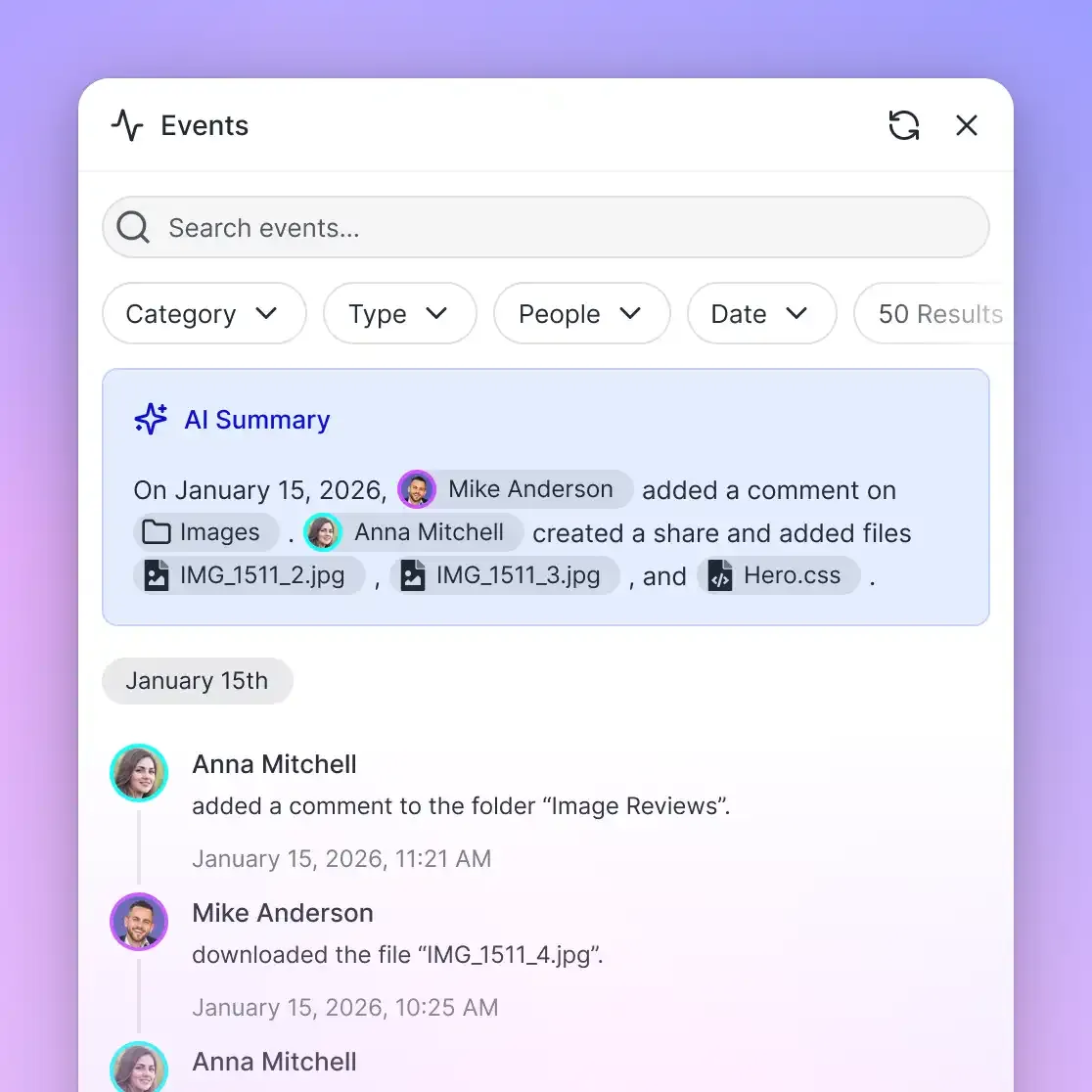
- Detailed Activity Log: Fast.io maintains a detailed activity log of changes across the organization, recording file uploads, edits, moves, and deletions, along with permission updates and share creations.
- Ownership Transfer: An autonomous agent can initialize an organization, configure SharePoint synchronization, build Metadata Views, and transfer organization ownership to a person with a claim link while maintaining administrative access.
Sources
References used to verify factual claims in this guide.
-
Microsoft Graph returns HTTP status code 429 when client request limits are exceeded during API operations.
-
Anthropic designed the Model Context Protocol as an open standard to establish two-way connections between AI systems and data sources.
Frequently Asked Questions
Can Claude Code read documents from SharePoint?
Claude Code can read documents from SharePoint when connected through an indexed workspace. By synchronizing SharePoint document libraries into Fast.io via the OneDrive connector and registering the Fast.io remote MCP server, Claude Code queries specifications, data dictionaries, and architectural diagrams directly from the terminal using hybrid search.
How do I connect Claude Code to Microsoft 365 SharePoint libraries?
Connect your SharePoint libraries to a Fast.io workspace using Cloud Sync via the OneDrive connector, and enable Intelligence Mode. Then register the remote MCP endpoint in your terminal with `claude mcp add --transport http fast-io https://mcp.fast.io/mcp/code`. Run `/mcp` inside Claude Code to authenticate and begin querying your documentation.
Does Claude Code support remote MCP servers for file search?
Yes. Claude Code natively supports remote MCP servers over HTTP transport. By connecting to `https://mcp.fast.io/mcp/code`, Claude Code searches pre-indexed workspace documentation without needing local Node runtimes, Python environments, or local file synchronization.
How does remote MCP search prevent context window exhaustion in Claude Code?
Remote MCP search uses pre-indexed hybrid search to return targeted text passages and citations rather than full file payloads. Instead of dumping a multi-megabyte document into prompt context, Claude Code receives only the relevant paragraphs matching its query, conserving tokens for repository code and terminal execution.
What is the difference between local stdio MCP servers and remote Streamable HTTP?
Local stdio MCP servers run as local background processes on the developer machine, requiring local language runtimes, local configuration files, and desktop browser redirects for OAuth. Remote Streamable HTTP MCP servers run in the cloud, authenticate via OAuth or scoped API keys, and work consistently across local machines, remote SSH instances, and Docker containers.
How does Claude Code authenticate with SharePoint in remote SSH terminals?
Direct SharePoint connectors require an interactive desktop browser to receive OAuth redirects on localhost, which stalls in headless SSH sessions. Fast.io resolves this by supporting scoped Bearer API keys passed in the Authorization header during MCP registration, enabling headless authentication without browser interaction.
Can Claude Code search across multiple SharePoint document libraries simultaneously?
Yes. When multiple SharePoint libraries synchronize into a Fast.io workspace, Intelligence Mode indexes all content into a unified hybrid index. Claude Code searches across all project specifications, API schemas, and architectural diagrams with a single MCP query.
Related Resources

Ground Claude Code in SharePoint Specs Without Context Bloat
Synchronize your SharePoint document libraries into an intelligent workspace and query enterprise specifications from the terminal using remote MCP. Starts with a 14-day free trial.