How to Set Up OpenClaw Agent Workspaces
OpenClaw agent workspaces give OpenClaw agents persistent file storage and MCP tools. Fastio runs the backend with generous storage, RAG for file searches, and collaboration options. This guide covers the setup steps and best practices for file management.


What Is an OpenClaw Agent Workspace?
An OpenClaw agent workspace is a persistent cloud environment for OpenClaw agents to store, organize, and collaborate on files.
OpenClaw is an open-source framework for building multi-agent AI systems (see openclaw.dev). Agents handle tasks like data extraction, report generation, but struggle with file persistence across sessions or machines.
Fastio provides the backend: persistent workspaces, built-in RAG, and sharing. Connect OpenClaw to the remote MCP server at https://mcp.fast.io/mcp/tools to give agents a consolidated MCP toolset.
Key Benefits
- Persistence: Files survive agent restarts.
- Organization: Folders, permissions, search.
- Intelligence: Semantic queries with citations.
- Collaboration: Share with humans/clients.
Without workspaces, files clutter local disks or vanish. Fastio solves this for production agents. Unlike short-term APIs such as OpenAI Files.

Related guides
- How to Set Up a Manus AI Agent-to-Human Transfer WorkspaceMoving deliverables out of temporary agent environments requires a persistent delivery pipeline. This guide explains...
- How to Set Up Devin AI Desktop App with Persistent WorkspacesCoordinating local files and cloud agent fleets often leads to overwrites and lost context. This guide explains how to...
- How to Set Up Shared Workspaces in OpenClawOpenClaw workspace setup provides agents with persistent, shared storage for collaborative projects. Connect to the...
- How to Set Up OpenClaw Multi Agent WorkspacesOpenClaw agents share files, context, and tasks in Fastio multi-agent workspaces. Access consolidated MCP tools for...
- How to Set Up File Storage in OpenClaw WorkspacesOpenClaw agents need files that stick around between sessions in shared workspaces. Developers set up persistent...
- How to Set Up OpenClaw Google Workspace Integration for Gmail, Drive, Calendar and SheetsOpenClaw's Google Workspace plugin connects your AI agent to six Google services through one OAuth authorization. This...
More on this subject: OpenClaw Setup and Guides (199 guides)
Key Features Available
Fastio workspaces give OpenClaw agents reliable file management.
Storage and Uploads Upload files up to 100 GB per file on the Enterprise plan using resumable chunked uploads. This handles large artifacts like generated reports, datasets, or media files from agent tasks.
Universal Previews Preview PDFs, HLS-streamed videos (adaptive bitrate for smooth playback), images, audio with interactive waveforms, and spreadsheets. No additional software needed. Everything works via MCP tools.
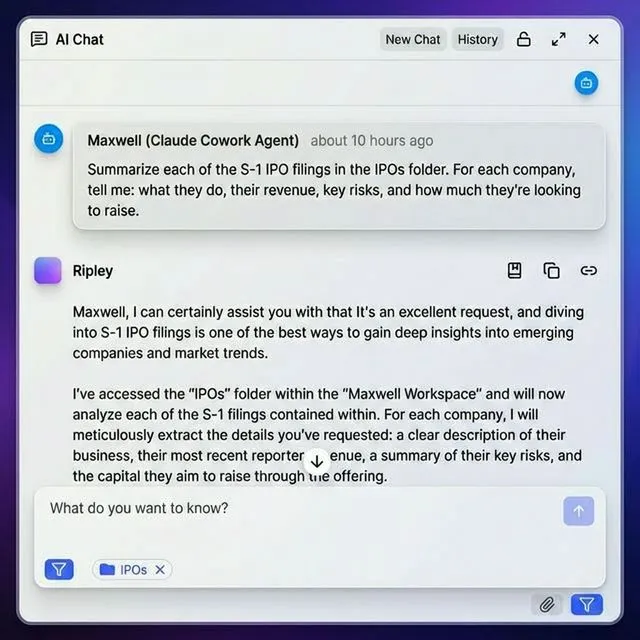
Intelligence Mode (RAG) Enable per workspace for automatic indexing. Files are semantically searchable. Agents can ask "find budget discussions from Q1" and get cited answers.
Advanced Sharing Send mode for one-way delivery, Receive for client uploads, Exchange for back-and-forth collaboration. Add passwords, expiration dates, and domain restrictions.
Anchored Comments Pin comments to image regions, video timestamps (frame-accurate), or PDF pages. Great for agent-human review loops.
Activity Polling and WebSocket Feed Get notified on file events (upload, edit, download). Build workflows like "summarize new uploads automatically."
URL Imports Import from Google Drive, Dropbox, OneDrive via OAuth. Agents pull files without local I/O, perfect for cloud-native agents.
The Business Trial provides a 14-day evaluation with plans starting at $9.99/mo (see /pricing/).
Agents use a consolidated MCP toolset matching UI capabilities, hosted at https://mcp.fast.io/mcp/tools. See the MCP docs for tool list.


Build Your OpenClaw Agent Workspace
Connect via remote MCP and manage files across LLMs with persistent workspaces.
How to Connect OpenClaw to the Fastio MCP Server
Connecting OpenClaw to Fastio takes minutes.
Step 1: Configure the MCP Endpoint
In your OpenClaw environment, connect to the remote Fastio MCP server at https://mcp.fast.io/mcp/tools over Streamable HTTP. No local package installation or container deployment is needed.
Step 2: Authenticate
Start a 14-day Business Trial at Fastio (credit card required). Provide your scoped API key as an Authorization: Bearer header in the MCP configuration, or use PKCE browser login.
Step 3: Verify Confirm connection status. Your agent now has access to Fastio's consolidated MCP toolset for workspace provisioning, file operations, AI chat, and sharing.
Pro Tip
Add llms.txt context from fast.io/llms.txt for self-onboarding. Works with Claude, GPT, Gemini, or local LLMs.
How to Create and Manage Workspaces
With the skill ready, agents manage workspaces like humans.
1. Create Organization Agents start on a 14-day Business Trial requiring a credit card, with plans starting at $9.99/mo (see /pricing/).
2. Create Workspace
// Create the workspace with the org_manage tool, which handles workspace creation
// (call org_manage action=describe for the exact action and parameters)
Workspaces scope files, permissions, and costs.
3. Upload Files
Local: upload_manage action=stream-upload
URL: upload_manage action=web-import from a public URL.
Chat: Pipe attachments directly.
4. Enable Intelligence Toggle it in the workspace settings. Files index for RAG queries.
Example: Full Upload Flow
// Stage the file's raw bytes with POST /blob, which returns a blob_id, then upload in one call
result = await mcp.call("upload_manage", {
  "action": "stream-upload",
  "profile_type": "workspace",
  "profile_id": workspace_id,
  "parent_node_id": folder_id,
  "filename": "q1.pdf",
  "blob_id": blob_id
})

// Over 100 MB: upload_manage action=create-session (exact filesize), then chunk, then finalize
Management Commands
storage action=list: Browse filesstorage_manage action=move: Organizestorage_manage action=delete: Cleanup- Advisory file locks and version history: Multi-agent safety
See agent storage docs for full API.
Best Practices for OpenClaw Agents
Follow these best practices for reliable OpenClaw agent file management.
Workspace Organization Create one workspace per project or client (e.g., "acme-q1-reports"). This scopes storage, permissions, and costs. Avoid single massive workspaces.
Intelligence Mode Wisely Enable only for workspaces needing queries or summaries. Disable for pure storage to save credits.
Sharing Best Practices Use shared folders for live team views, data rooms for client snapshots. Set expirations and passwords for security.
Multi-Agent Safety Acquire an advisory file lock before writing and heartbeat it while working, then release it when done. If another agent holds the lock, you receive HTTP 409 and can wait; every write is versioned as a safety net.
Credit Monitoring
Check org action=limits weekly. If low, transfer ownership to a human through a claim link, or optimize (e.g., delete old versions).
Automated Organization
Parse chat attachments: WhatsApp images to /chats/whatsapp/images/, PDFs to /documents/. Use storage_manage action=move in post-import hooks.
Reactive Workflows Realtime activity polling or the WebSocket events feed triggers summarization or notifications when files are uploaded.
Version Control
Every edit creates a version. List with storage action=version-list, restore via storage_manage action=version-restore. Audit with event action=activity-list.
Check the pricing page for usage details. These practices help agents scale from prototype to production.

Advanced Workflows
Access advanced features for complex agent systems.
Scoped RAG Queries Limit searches:
// Ask Ripley with the ai_manage tool (action ask, profile_type workspace),
// narrowing the search with folders_scope set to the reports and budgets folders
Returns cited excerpts from scoped files.
Ownership Transfer Workflow
- Agent builds org and workspaces.
- Start an ownership transfer with the
org_managetool, which handles ownership transfer. - Share the claim link with the human. Human claims ownership; agent keeps admin access.
Human-Agent Collaboration
Invite humans with the member_manage tool (entity_type workspace), giving their email and role.
Humans use web UI for previews/comments; agents MCP for automation. Anchored comments sync across.
Multi-LLM Compatibility Fastio MCP works with any LLM: Claude (Anthropic), GPT-4o (OpenAI), Gemini (Google), LLaMA (local). Switch providers without recoding.
File Locks for Concurrency
// Acquire advisory lock before editing
lock = await mcp.call("storage_manage", {"action": "lock-acquire", "node_id": file_id})
// Heartbeat while working, release when done; writes are versioned regardless
Realtime Activity Feed
Poll /current/activity/poll/{profile_id}/ or connect to the WebSocket events feed to react dynamically when new files are created or updated.
Integrate with product AI features for full stack.
Troubleshooting Common Setup Issues
Authentication Problems
Symptom: "Invalid session" errors.
Fix: Run auth_manage action=signout, then authenticate again. Tokens persist across sessions.
Upload Failures
Symptom: Chunk errors on large files.
Fix: Use upload_manage action=create-session (with the exact filesize) for files over 100 MB. Check network and session status.
Credit Limits Hit
Symptom: rate limit errors.
Fix: org action=limits shows usage. Delete old files (storage_manage action=delete), disable intelligence on low-query workspaces.
RAG Returns Nothing
Symptom: Empty responses.
Fix: Indexing is async; wait a few minutes. Check each file's ai.state with storage action=details. Re-ingest if changed.
Event Feed Disconnected Symptom: No events received. Fix: Verify connection to the WebSocket events feed or poll the activity feed directly.
Connection Issues
Fix: Verify the remote MCP URL is set to https://mcp.fast.io/mcp/tools and check the scoped API key in your Authorization: Bearer header.
Full logs in storage for OpenClaw page. Community support via GitHub issues.
Sources
References used to verify factual claims in this guide.
-
Upload files up to 100 GB per file on the Enterprise plan using resumable chunked uploads Agents use a consolidated MCP toolset matching UI capabilities Persistent storage, uploads up to 100 GB per file on the Enterprise plan, RAG search, branded shares, anchored comments, activity polling, and URL imports
-
Business Trial 14-day evaluation requiring a credit card, with plans starting at $9.99/mo
Frequently Asked Questions
What are OpenClaw agent workspace features?
Persistent storage, uploads up to 100 GB per file on the Enterprise plan, RAG search, branded shares, anchored comments, activity polling, URL imports. The consolidated MCP toolset handles CRUD, AI chat, and sharing.
How do I set up an openclaw agent workspace?
Connect OpenClaw to Fastio's remote MCP server at `https://mcp.fast.io/mcp/tools` using your scoped API key. Authenticate on first use and create a workspace. Chat files organize automatically.
What plan options exist for OpenClaw agents?
Fastio offers an official 14-day Business Trial requiring a credit card, followed by plans starting with Starter at $9.99/mo (see /pricing/).
Can OpenClaw agents share files?
Yes, create Send/Receive/Exchange shares with branding, passwords, expiration.
How does RAG work in workspaces?
Enable intelligence; files index automatically. Query with citations via the `ai` tool.
Best practices for OpenClaw file management?
One workspace per project, enable intelligence once indexed, acquire advisory file locks before editing with version history as a safety net, and poll the activity feed for events.
Related Resources

Build Your OpenClaw Agent Workspace
Connect via remote MCP and manage files across LLMs with persistent workspaces.