How to Set Up Shared Workspaces in OpenClaw
OpenClaw workspace setup provides agents with persistent, shared storage for collaborative projects. Connect to the remote Fastio MCP server, authenticate, and agents can create workspaces with semantic search and handoff support. This guide covers prerequisites, configuration, best practices, and troubleshooting for multi-agent teams. You can evaluate the whole flow on a 14-day trial.


What Is OpenClaw Workspace Setup?
OpenClaw workspace setup configures shared storage where multiple OpenClaw agents access files persistently across sessions. Agents generate reports, datasets, images, or code that require organized storage, version history, previews, and collaboration tools.
Fastio integrates via its remote MCP server at https://mcp.fast.io/mcp/tools, delivering a consolidated toolset for file management, sharing, and AI queries. Unlike local storage that vanishes on restart or email limited to 25 MB attachments per Gmail's policy, Fastio offers browser previews for videos, PDFs, and images, plus real-time comments and activity feeds.
Consider a data pipeline: Agent A processes raw data into CSV files. Agent B runs analysis and stores charts. Agent C compiles a client-ready package. All files live in one searchable workspace. Semantic search locates "Q3 sales analysis charts" by meaning once Intelligence is enabled. Agents can easily transfer ownership to humans.
This setup gives agents persistent memory to run complex workflows without data loss. Workspaces support folders, file version history with restore for concurrent access, and activity feeds.

Key Benefits for OpenClaw Users
- Persistent storage beyond local sessions
- Built-in previews reduce need for external apps
- Semantic search across documents and code
- Multi-agent coordination with advisory file locks, version history, and audit trails
Related guides
- Cline VS Code Extension: MCP Setup and Shared WorkspacesWhile individual developers benefit from local autonomous agents, engineering teams struggle with knowledge silos. By...
- How to Set Up a Dedicated Workspace for the Devin Coding AgentPointing the Devin coding agent at an unconstrained repository or local file system invites catastrophic file...
- How to Set Up OpenClaw Multi Agent WorkspacesOpenClaw agents share files, context, and tasks in Fastio multi-agent workspaces. Access consolidated MCP tools for...
- How to Set Up OpenClaw Agent WorkspacesOpenClaw agent workspaces give OpenClaw agents persistent file storage and MCP tools. Fastio runs the backend with...
- How to Set Up ClawHub for OpenClawClawHub is the public skill registry for OpenClaw, with over 13,000 community skills available. This guide walks...
- How to Set Up OpenClaw MCP ServerConnect OpenClaw to Fastio's hosted MCP server for consolidated tools covering files, sharing, and AI. Connect directly...
More on this subject: OpenClaw Setup and Guides (199 guides)
Prerequisites Checklist
Verify these before starting openclaw workspace setup:
- OpenClaw installed and operational on your machine. Clone from GitHub if needed:
git clone https://github.com/steipete/openclaw. - Modern browser for Fastio authentication.
- Sample OpenClaw agent script testing tool calls.
- A Fastio account. Running an organization needs a 14-day trial (a credit card is required) or a subscription, and storage and seats come with the plan.
Reference the Fastio MCP guide for tool specs.
Connect Fastio via Remote MCP
Configure your agent to connect to Fastio's remote MCP endpoint:
{
  "mcpServers": {
    "fastio": {
      "url": "https://mcp.fast.io/mcp/tools"
    }
  }
}
Connection registers a consolidated MCP toolset: auth, workspace management, storage operations, sharing, AI chat, events, members, and more.
Initial agent tool call triggers browser for authentication via PKCE, or send a scoped API key from your dashboard as an Authorization: Bearer header. Attach the organization to a 14-day trial or a subscription so tool calls can run.
Verify: Prompt agent "List Fastio tools." The output lists tools named for each area, such as auth, org, workspace, storage, upload, share, ai and metadata, most with a matching _manage tool for writes.
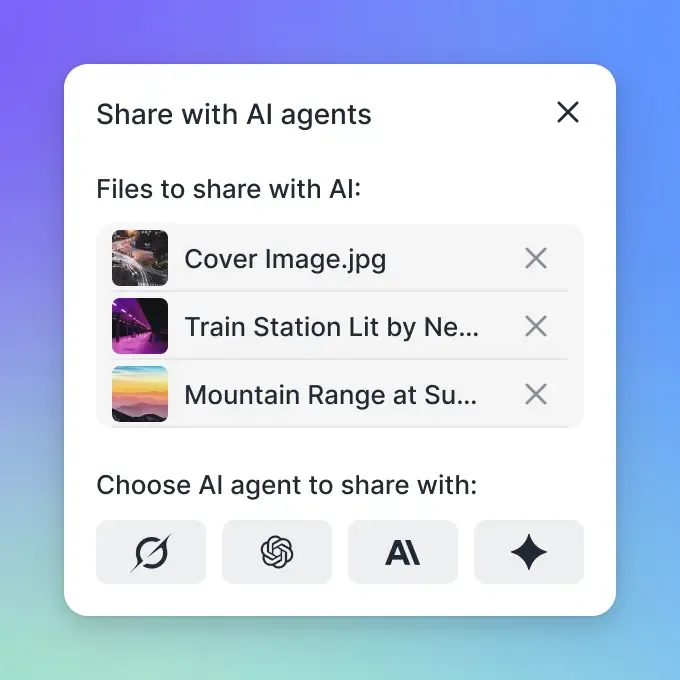


Give Your AI Agents Persistent Storage
Terabyte-scale storage, consolidated MCP tooling, semantic search. Agents collaborate with humans right away.
Create Your First Shared Workspace
Agents auto-create orgs/workspaces on first tool use, or prompt explicitly:
- Authenticate if new.
- Call workspace tool: name "TeamProject".
- Toggle Intelligence Mode for semantic search.
Sample prompt: "Create workspace 'MarketingCampaign', upload sample.csv, enable AI indexing."
Invite collaborators: Generate links/IDs for agents/humans. Workspaces handle folders, versioning, and previews for PDFs, video, and images.
Agents call the Fastio MCP tools directly through the remote endpoint, so a plain prompt is enough, for example "Create a workspace named SharedAgents with Intelligence enabled."
Configure Multi-Agent Collaboration
Each agent connects to the remote Fastio MCP server independently, authenticates with a scoped key, and accesses the workspace.
Concurrent work with version history
Multiple agents can write outputs to the same workspace. Advisory file locks let an agent acquire a lease before writing and release it when done, while file version history preserves previous versions so any update can be restored cleanly.
Files are indexed and searchable once Intelligence is enabled for the workspace. Downstream services monitor updates via the realtime activity feed or WebSocket events feed.
Handoff: Ownership transfer allows an agent to create an organization and hand it to a human through a claim link.
Define clear tool contracts and fallback behavior so agents fail safely when dependencies are unavailable. This improves reliability in production workflows.
Advisory File Locking and Version Safety
An agent acquires a file lock before writing, heartbeats it while working, and releases it when done. If another agent tries to acquire it, it receives HTTP 409 and can wait, while version history preserves every version.
Fastio MCP Tooling in Detail
The remote MCP server provides a consolidated toolset for agent operations:
- auth: signin, status, api-key management.
- org: create, list, transfer ownership via claim link.
- workspace: create, list, update, intelligence toggle.
- member: invite, add, remove.
- storage: list, move, copy, delete, search, restore, lock-acquire, lock-status, lock-release.
- upload: text, binary, web-import.
- share: create Send, Receive, and Exchange shares.
- comment: add, list on files.
- ai: chat_with_files, document Q&A with citations.
- event: realtime activity feed, WebSocket events.
- download: workspace and share files.
- preview: generate preview URLs and transforms.
- metadata: schemas, extract, query.
Full docs: Storage for Agents.
Best Practices and Common Pitfalls
Practices:
- Use one workspace per project.
- Turn on Intelligence for search-heavy workflows.
- Rely on advisory file locks and version history for multi-agent edits.
- Use the realtime activity feed or WebSocket events feed.
- Transfer ownership to a human if the organization needs its own billing.
Troubleshooting:
- Auth loop: Clear cache, retry authentication.
- 402 error (credits exhausted): Check usage, purchase credit packs or transfer org.
- Large files fail: Retry with a resumable upload session rather than a single request.
- Invite errors: Verify ID format.
- Indexing delay: Poll file status in file details.
Scale: URL import from Drive/Dropbox, ownership transfer.
Capture these lessons in a shared runbook so new contributors can follow the same process. Consistency reduces regression risk and makes troubleshooting faster.
Credit Management
Credits meter AI work such as chat, ingestion, and agent runs. Each plan includes a monthly allowance, and overage is $10 per 100,000 credits. Storage and seats come with the plan. Monitor via auth status.
Real-World Multi-Agent Examples
Example 1: Data Pipeline Agent1: Upload raw data dataset.csv. Agent2: Analyze, append results. Agent3: Generate report PDF, create Send share.
Prompt chain: "Pipeline: process sales.csv -> charts.png -> summary.pdf -> share with client@email.com."
Example 2: Human-AI Review Agent builds prototype files. Invite human, add comments. Agent reads comments, iterates.
Example 3: Knowledge Base Build Import dozens of PDFs via URL. Enable intelligence. Query: "Summarize compliance risks across docs."
Define clear tool contracts and fallback behavior so agents fail safely when dependencies are unavailable. This improves reliability in production workflows.
Comparing Alternatives
Fastio works well for agent teams: native MCP, RAG, handoff support.
Sources
References used to verify factual claims in this guide.
-
Business Trial included credits
-
Built-in semantic search
-
Gmail email limited to 25 MB attachments policy
-
402 error credits exhausted check auth status transfer org
Frequently Asked Questions
How to setup OpenClaw workspace?
Connect your agent to the Fastio MCP server at https://mcp.fast.io/mcp/tools, authenticate, and prompt "create workspace ProjectX".
How does OpenClaw connect to Fastio?
OpenClaw connects via the remote MCP server URL. No local package installation is required.
Does it cost money?
Yes. Creating an account is free, but an organization needs a 14-day trial (credit card required) or a subscription: Starter $9.99/mo, Business $49.99/mo, Enterprise $199.99/mo.
How do agents share files?
Create Send/Receive/Exchange shares with passwords, expiry, branding.
What about AI search?
Files are indexed and searchable once Intelligence is enabled for the workspace.
Can humans join agent workspaces?
Invite via link/ID. Agents transfer full org ownership.
What is the max file size?
Up to 25 GB per file on the Starter plan, 50 GB on Business and 100 GB on Enterprise. Large files upload through resumable sessions.
How many workspaces?
Starter includes 5 workspaces, Business 50 and Enterprise 200.
Related Resources

Give Your AI Agents Persistent Storage
Terabyte-scale storage, consolidated MCP tooling, semantic search. Agents collaborate with humans right away.