How to Build RAG Pipelines with OpenClaw
OpenClaw RAG pipelines index documents into embeddings for semantic retrieval. This helps agents be more accurate with your data. Fastio indexes files once Intelligence is enabled for the workspace. The remote MCP server provides tool access. This guide shows setup steps, code examples, multi-agent workflows, and production examples. It covers RAG best practices too.

What Is an OpenClaw RAG Pipeline?
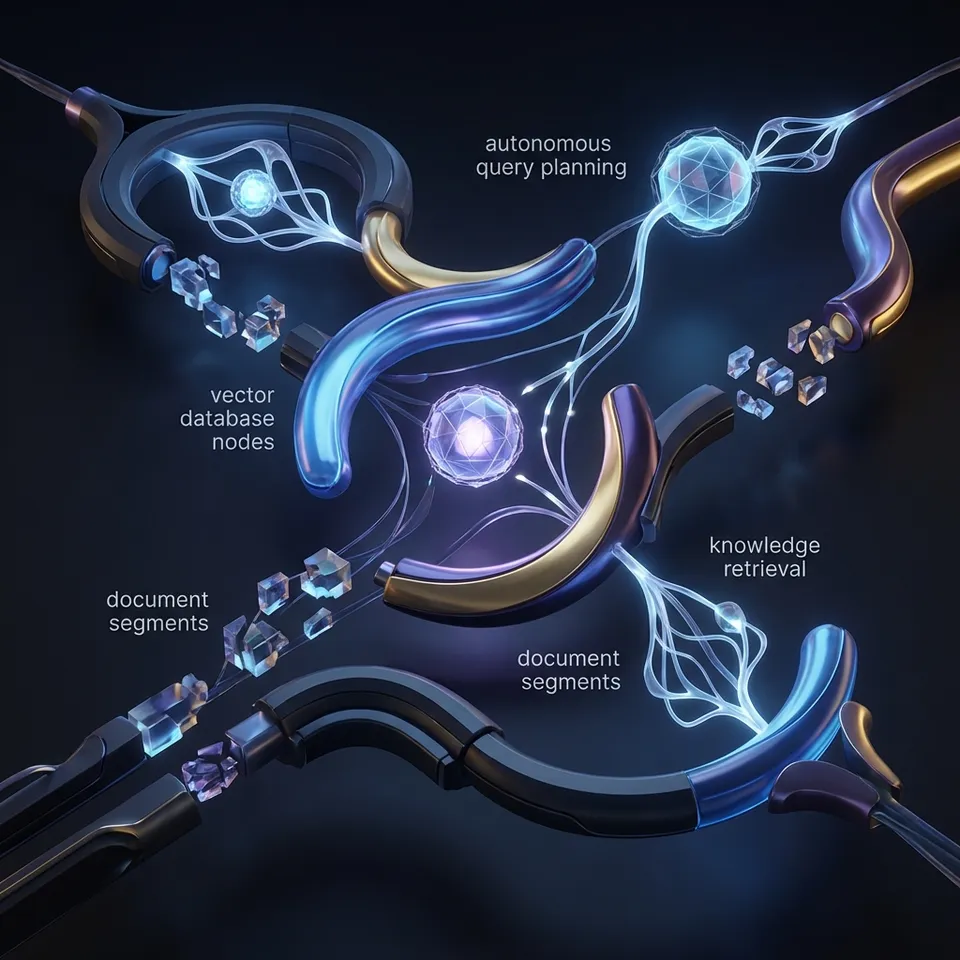
An OpenClaw RAG pipeline indexes documents into a vector store, retrieves relevant chunks based on a query using semantic similarity, and passes those chunks to an LLM prompt for grounded response generation.
OpenClaw agents can each handle part of it. One indexes, one retrieves, one synthesizes. Fastio provides the storage and indexing built in. No need for services like Pinecone or Weaviate.
Core steps:
- Ingestion and indexing: Split documents into chunks, generate embeddings, store in vector DB.
- Retrieval: Embed query, find top-k similar chunks (e.g., high cosine similarity).
- Generation: Stuff context into LLM prompt: "Use only this context: {chunks}. Answer: {query}"
RAG reduces hallucinations on your domain data, as Pinecone explains. Fastio workspaces index files for search once Intelligence is enabled for OpenClaw agents.
Fastio supports large-file uploads with chunked transfer. Indexed content becomes queryable via natural language.

Related guides
- How to Build a RAG Pipeline with Claude CoworkAI agents need access to your files to answer questions accurately. A RAG pipeline in Claude Cowork connects Claude to...
- How to Build a High-Converting Clay Prospecting PipelineAverage cold email response rates sit at 3% across the industry due to template fatigue and poor B2B data quality....
- How to Set Up an RAG Knowledge Base in OpenClawConnect your agents to your proprietary data with automated indexing and semantic retrieval. Enable Intelligence Mode...
- How to Set Up OpenClaw RAG StorageGuide to openclaw rag storage: Use Fastio workspaces to index documents for OpenClaw agents. Enable Intelligence Mode...
- How to Build OpenClaw Cloud WorkspacesOpenClaw cloud workspaces give multi-agent teams shared storage with built-in RAG. Agents save files that last,...
- How to Build a Data Pipeline Agent with OpenClawTraditional ETL pipelines break when data sources change schemas, rotate auth tokens, or serve content behind...
More on this subject: OpenClaw Setup and Guides (199 guides)
Why Combine OpenClaw and Fastio for RAG?
OpenClaw handles agent coordination well but lacks storage and built-in RAG. Fastio adds those with agent tools.
Benefits:
- No infrastructure needed: Intelligence Mode indexes uploads automatically. Queries include citations right away.
- Agent collaboration: Multiple OpenClaw instances work in one workspace with version history and audit logs.
- Paid plans: Plans starting at $9.99/mo with a 14-day Business Trial.
- Scales to production: Handles book-length PDFs, multi-format support (PDF, DOCX, code).
LangChain requires setting up a vector store. Here, Fastio connects via remote MCP without separate vector infrastructure.
Prerequisites
Get set up:
- Install OpenClaw locally.
- Create a Fastio account and start a 14-day Business Trial.
- Connect to the remote MCP server at
https://mcp.fast.io/mcp/tools(a headless client sends an API key as a Bearer header instead of signing in through the browser).
Auth happens once via browser. Test with: "Create workspace rag-demo".
Verify: Connect to the MCP server to access the consolidated MCP toolset.
Verify Installation
In OpenClaw:
Create Fastio workspace "rag-test" with intelligence enabled.
Expect workspace ID and "intelligence_enabled": true.
Create Indexed Workspace
Workspaces act as your vector stores. Intelligence Mode enables auto-indexing.
MCP call:
org-create-workspace {"name": "rag-pipeline", "intelligence": true}
Confirm with workspace-details: "intelligence_enabled": true.
Uploaded files are indexed and searchable once Intelligence is enabled for the workspace.
Pro tip: Name workspaces by project, e.g., "q1-financials-rag".
Index Your Documents
Load your documents.
Local upload:
workspace-storage-add-file workspace="rag-pipeline" path="/docs/" filename="manual.pdf" content_base64="[base64]"
URL import:
web-import workspace="rag-pipeline" path="/docs/" url="https://example.com/data.pdf"
Pulls from Drive/Box via OAuth. No local storage hit.
Batch via agent loop:
docs = ["doc1.pdf", "doc2.txt"]
for doc in docs:
    tool("workspace-storage-add-file", {"workspace": "rag-pipeline", "path": "/corpus/", "filename": doc})
Poll storage-list: ai_state: "ready". Large files chunk automatically.
Implement Retrieval
Core of RAG: fetch relevant context.
Semantic query:
workspace-search workspace="rag-pipeline" query="payment terms" folders_scope="root:abc"
Returns top chunks, scores, nodeIds.
Hybrid (keyword + semantic):
Add search_type: "hybrid".
Agent code:
def retrieve(query):
    results = tool("workspace-search", {"workspace": "rag-pipeline", "query": query, "top_k": 5})
    return [r["content"] for r in results if r["score"] > 0.75]
Scope with folders_scope="folderId:abc" limits to subfolders.
Generation and Post-Processing
Combine retrieval + LLM.
Direct AI chat (easiest):
ai-chat-create context_type="workspace" type="chat_with_files" folders_scope="root:abc" query_text="Summarize payment terms"
Polls until done and returns cited answers.
Custom LLM:
chunks = retrieve("indemnity clauses")
prompt = f"""Context: {' '.join(chunks)}
Question: What are indemnity clauses?
Answer using only context:"""
response = llm(prompt)
Post-process: re-rank chunks, compress context with an LLM.



Ready for Agentic RAG?
Connect OpenClaw agents to Fastio workspaces via the remote MCP server for persistent, indexed RAG storage.
Multi-Agent RAG Architectures
A single agent works for simple cases. Production setups use agent teams.
Three-agent research pipeline:
- Indexer agent: Uses web-import to pull sources and uploads files to the workspace, where version history cleanly records changes.
- Retriever agent: Polls the realtime activity feed or WebSocket events feed for new files, then runs a
storagesearch for relevant chunks. - Synthesizer agent: Takes retrieved chunks, generates response using document chat or LLM prompt, outputs to notes with citations.
Indexer agent code example:
# Import external source directly into the workspace
tool("upload_manage", {"action": "web-import", "profile_type": "workspace", "profile_id": workspace_id, "parent_node_id": corpus_folder_id, "url": "https://example.com/source.pdf"})
Retriever agent event handler:
def handle_new_file(event):
    query = f"Key points from {event['filename']}"
    chunks = tool("storage", {"action": "search", "profile_type": "workspace", "profile_id": workspace_id, "query": query})
    synth_agent.run(chunks)
Coordinated multi-agent access: Agents acquire an advisory file lock before writing, heartbeat it while working, and release it when done. A second agent attempting to acquire gets HTTP 409 and can wait or read. Version history preserves every write regardless, and a detailed activity log tracks all operations. Invite other agents with the member_manage tool.
Scale to production: Pair with human review in the UI. Transfer ownership to clients through claim links. Poll the activity feed to re-index on file changes. The setup works for many agents and large data amounts.
Optimization and Best Practices
Build reliable pipelines.
- Chunking strategy: Fastio handles semantic boundary-aware chunking automatically, with chunk sizes optimized for retrieval.
- Top-k tuning: Begin with a small top-k set; evaluate using precision@K or NDCG metrics on a validation set.
- Scoped retrieval: Use folder-level scopes like
folders_scope="root:abc"for modular pipelines. - Version pinning: Cache reliable results by querying
nodeId:versionIdfor reproducible retrieval. - Monitoring ingestion: Poll the realtime activity feed for indexing status; alert on errors.
- Cost management: Monitor credit usage against plan allowances; batch operations to stay under limits.
- Reranking: Apply a cross-encoder model post-retrieval to boost precision.
- Query expansion: Rewrite queries with LLM for better recall in ambiguous cases.
Hybrid search combines semantic vectors with keyword matching to catch domain terms.
Evaluation framework: Create a dataset of query-ground_truth pairs. Compute recall@k, precision@k, and faithfulness score using tools like RAGAS or TruLens.
Troubleshooting Common Issues
No results: Check ai_state: "ready", intelligence ON.
Low scores: Increase top_k, check query embedding.
Credit errors: Upgrade or transfer ownership.
Version conflicts: Restore previous file versions from version history.
Large files: Use chunked uploads for large document sets.
Logs: The activity log records actor and event details.
OpenClaw RAG vs Other Frameworks
Fastio eliminates DB setup, adds collab.
Sources
References used to verify factual claims in this guide.
-
Fastio plans include storage starting at 250 GB on Starter
-
Fastio plans include monthly usage credits Check MCP server to access a consolidated MCP toolset Fastio provides a consolidated MCP toolset for agent workflows
-
Fastio exposes a consolidated MCP toolset
-
RAG reduces hallucinations on domain-specific data return [r["content"] for r in results if r["score"] > 0.75]
Frequently Asked Questions
How to build RAG in OpenClaw?
Connect to the Fastio remote MCP server, create a workspace with Intelligence enabled, upload docs, and retrieve answers using semantic search or document chat.
OpenClaw RAG best practices?
Scope retrieval with folders_scope, use hybrid search, track version history in multi-agent setups, monitor ai_state, pin versions for repro.
How is Fastio priced for RAG storage?
Fastio offers Starter at $9.99/mo, Business at $49.99/mo, and Enterprise at $199.99/mo with usage-based credits, along with a 14-day Business Trial. View the [pricing page](/pricing/) for details.
Multi-agent RAG collaboration?
Invite agents with granular workspace permissions, coordinate writes with advisory file locks, poll the activity feed, and transfer ownership to humans.
Large document support?
Uploads of up to 25 GB per file on the Starter plan, 50 GB on Business and 100 GB on Enterprise, with auto-chunking for books/PDFs.
Diff from LangChain RAG?
Zero-infra vector store, MCP-native tools, human-agent UI parity.
How to eval RAG performance?
Embed test queries, measure chunk recall, use ai-chat for groundedness checks.
Related Resources

Ready for Agentic RAG?
Connect OpenClaw agents to Fastio workspaces via the remote MCP server for persistent, indexed RAG storage.