How to Process Fastio Events with RabbitMQ
Processing Fastio events with RabbitMQ lets you handle file events like uploads and modifications reliably. Direct event consumption can risk backpressure during heavy loads, but queuing events with RabbitMQ decouples reception from processing. This setup scales for agentic teams tracking workspace activity in real time.

What Are Fastio Event Feeds?
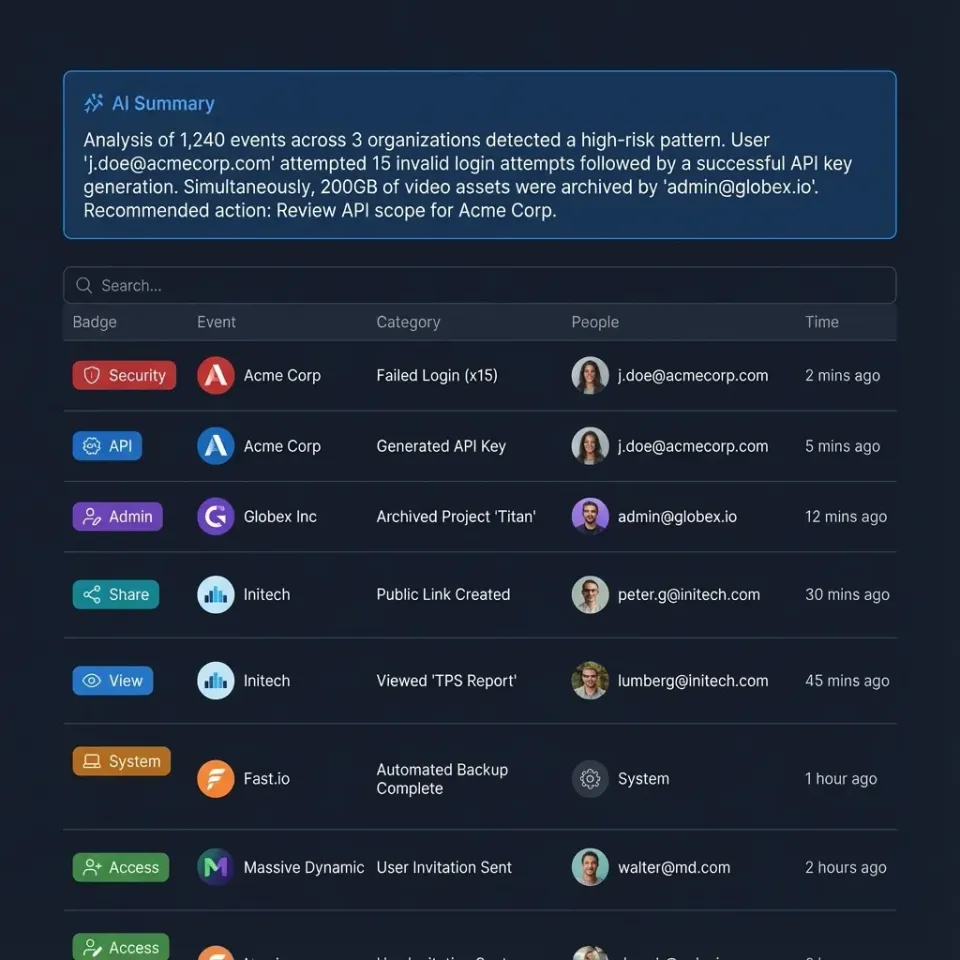
Fastio provides real-time event notifications through a WebSocket events feed and a pollable activity feed for file system events like uploads (workspace_storage_file_added), deletions, comments, membership changes, and AI activity.
Each event payload is JSON with fields like event_id, event (e.g., workspace_storage_file_added), created timestamp, object_id (file node ID), and context IDs for org, workspace, or share.
Connect to Fastio's WebSocket events feed or poll the activity feed via the REST API at https://api.fast.io/current/. Event bridges can consume these streams and publish them directly to RabbitMQ.

Related guides
- How to Process Fastio Events with Apache KafkaStreaming Fastio file changes with Apache Kafka ensures durable, ordered, and scalable event delivery for large-scale...
- How to Build a Fastio API Golang ImplementationBuilding a Fastio API Golang implementation allows developers to manage workspaces, upload files concurrently, and...
- How to Integrate Fastio API with SvelteKit ApplicationsIntegrating Fastio API with SvelteKit applications lets developers add secure file storage to their apps. Use...
- How to Build Event-Driven Agent Workflows with Fastio EventsFastio enables event-driven agent workflows the moment a file changes through real-time WebSocket event feeds and...
- How to Use the Fastio API for HLS Video StreamingBuilding a video application usually requires chaining together cloud storage and separate transcoding services. The...
- Fastio API Presigned URLs Implementation GuideFastio API presigned URLs allow your applications to grant secure, time-limited, direct access to files without...
More on this subject: Agent Integrations and APIs (192 guides)
Why Use RabbitMQ for Event Processing?
Consuming file events directly in application workers can cause bottlenecks when tasks like file analysis, OCR, or notifications take time.
RabbitMQ acts as a message broker. A lightweight forwarder ingests events from Fastio's WebSocket feed or activity polling, publishes them to a queue, and separate worker consumers handle work asynchronously.
Benefits include retry logic with dead letter queues, multiple consumers for horizontal scaling, and durability across restarts.


Ready for Event-Driven Workflows?
Fastio event streaming and RabbitMQ power resilient file processing. Build agent workflows with a consolidated MCP toolset.
Set Up RabbitMQ Locally
Start with Docker for development.
Create docker-compose.yml:
version: '3.8'
services:
  rabbitmq:
    image: rabbitmq:4-management
    ports:
      - "5672:5672"
      - "15672:15672"
    environment:
      RABBITMQ_DEFAULT_USER: guest
      RABBITMQ_DEFAULT_PASS: guest
Run docker compose up. Access management UI at http://localhost:15672.
Declare a queue named fastio-events via UI or API.
Build the Event Forwarder in Node.js
Connect to Fastio's event stream and forward to RabbitMQ.
Install dependencies:
npm init -y
npm i ws amqp-connection-manager
Forwarder code (forwarder.js):
const WebSocket = require('ws');
const amqp = require('amqp-connection-manager');

const RABBITMQ_URL = 'amqp://localhost:5672';
const FASTIO_API_KEY = process.env.FASTIO_API_KEY;
// The events-feed WebSocket URL, taken from the Fastio API reference.
const FASTIO_EVENTS_WS_URL = process.env.FASTIO_EVENTS_WS_URL;
const QUEUE = 'fastio-events';

const connection = amqp.connect([RABBITMQ_URL]);
const channelWrapper = connection.createChannel({
  json: true,
  setup: channel => channel.assertQueue(QUEUE, { durable: true })
});

const ws = new WebSocket(FASTIO_EVENTS_WS_URL, {
  headers: { Authorization: `Bearer ${FASTIO_API_KEY}` }
});

ws.on('message', (data) => {
  try {
    const event = JSON.parse(data.toString());
    channelWrapper.sendToQueue(QUEUE, event, { persistent: true });
  } catch (err) {
    console.error('Failed to parse or queue event:', err);
  }
});

ws.on('open', () => console.log('Connected to Fastio WebSocket feed'));
ws.on('error', (err) => console.error('WebSocket error:', err));
Run node forwarder.js with your scoped API key.
Consume and Process Queue Messages
Create a consumer script (consumer.js):
const amqp = require('amqp-connection-manager');

const connection = amqp.connect(['amqp://localhost:5672']);
const channelWrapper = connection.createChannel({
  json: true,
  setup: channel => channel.assertQueue('fastio-events', { durable: true })
    .then(() => channel.consume('fastio-events', msg => {
      const event = JSON.parse(msg.content.toString());
      console.log('Processing event:', event.event);

if (event.event === 'workspace_storage_file_added') {
        // Trigger file processing, e.g., AI analysis
        console.log('New file:', event.filename, event.object_id);
      }

channelWrapper.ack(msg);
    }, { noAck: false }));
});
Run node consumer.js. Scale by running multiple instances.
Add Retries and Dead Letter Exchanges
Configure DLQ for failed messages.
In management UI, create exchange dlx (type direct), queue fastio-events-dlq bound to dlx with routing key failed.
Update channel setup:
channel.assertQueue(QUEUE, {
  durable: true,
  arguments: {
    'x-dead-letter-exchange': 'dlx',
    'x-dead-letter-routing-key': 'failed',
    'x-message-ttl': 60000 // Retry after 1 min
  }
});
Bind retry queue to exchange with TTL for exponential backoff.
Test and Deploy
Publish a test message or upload a file to Fastio:
python3 -c "import pika, json; conn = pika.BlockingConnection(pika.ConnectionParameters('localhost')); ch = conn.channel(); ch.basic_publish(exchange='', routing_key='fastio-events', body=json.dumps({'event':'workspace_storage_file_added','object_id':'node123','filename':'test.pdf'})); conn.close()"
Check queue and consumer logs.
Deploy to cloud: Use CloudAMQP or AWS MQ for managed RabbitMQ. Run your forwarder container on ECS, Cloud Run, or a persistent worker.
Frequently Asked Questions
How do I queue Fastio events in RabbitMQ?
Set up an event forwarder to listen to Fastio's WebSocket events feed or poll the activity feed, parse the JSON payload, and publish to a durable queue using amqplib or Pika. Consumers subscribe to the queue for async processing.
Why use a message broker for API events?
Brokers like RabbitMQ provide durability, retries, load balancing across consumers, and decoupling between receiving and processing for high reliability.
What events does Fastio deliver through its event feeds?
Events cover storage changes (file added, deleted), comments, members, AI chats, and metadata updates. The full event log is recorded in Fastio's activity log.
How do I authenticate with Fastio event feeds?
Authenticate with the Fastio API or WebSocket events feed using long-lived, scoped API keys created in your dashboard.
Can I use RabbitMQ Cloud?
Yes, services like CloudAMQP integrate easily. Update connection URL in code.
Related Resources

Ready for Event-Driven Workflows?
Fastio event streaming and RabbitMQ power resilient file processing. Build agent workflows with a consolidated MCP toolset.